Test the speeder
Learn how to take your custom built spaceship on a test flight in Roblox Studio as part of the Build It Play It Galactic Speedway challenge.
Before moving on, take time to check that your speeder works correctly.
Click Play to test.

In the game, walk up to the robot character under the spaceship sign and press E to open up a menu. On that screen, select Race and pick your speeder in the selection menu.
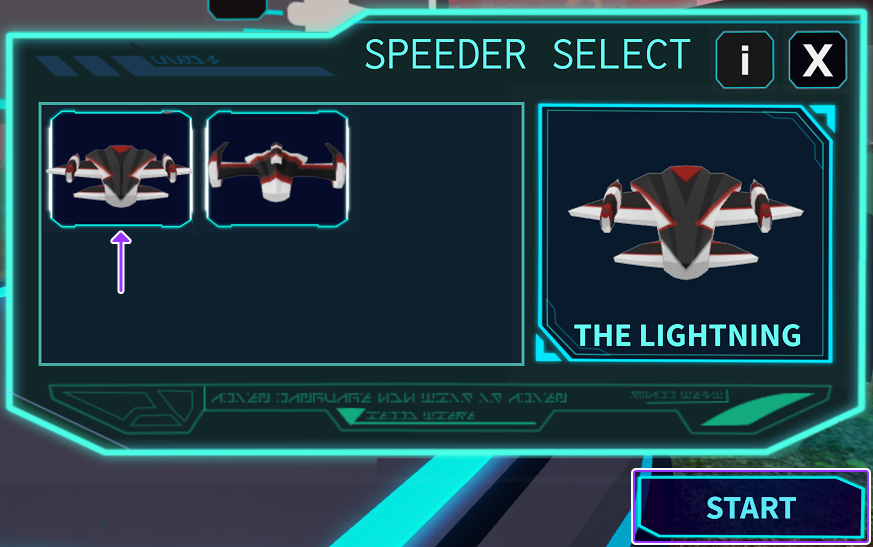
While flying, make sure that your driftspeeder looks as you intended. Then stop the playtest and, if needed, fix any issues. Remember, you can stop playtesting with ShiftF5.
Troubleshoot the speeder#
If your driftspeeder does not show up in the selection screen, check the following steps:
Make sure the speeder is in the Garage.
- Click on your speeder to help locate it in the Explorer window.
- In the Explorer window, check that it's inside the Garage folder.
- If not in Garage, use Cut and Paste Into to move it there.
Check that the speeder has a Body.
The code in game only loads speeders that have a Body part grouped within its model.
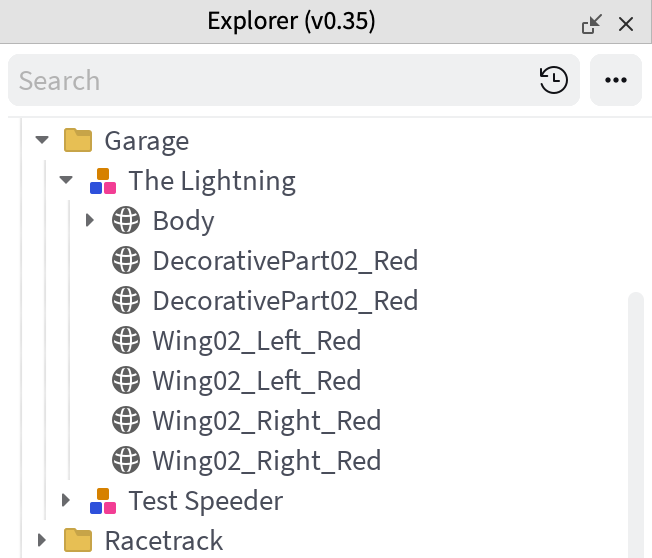
No extra models
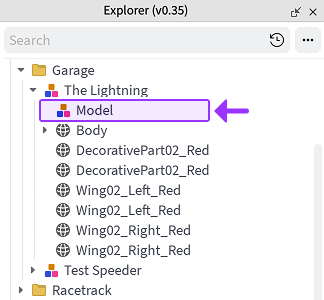
Extra model that causes issues