Minimap system
Explains the minimap implementation details for the Battle Royale game kit.
The minimap shows a subset of the world map at the top-right corner of the player's screen. It also displays an indicator to show where you are, where the delivery vehicle is, and where your teammates are when playing in team mode. Lastly, it shows the current state of the storm and where the storm will be next so players know how to avoid it.
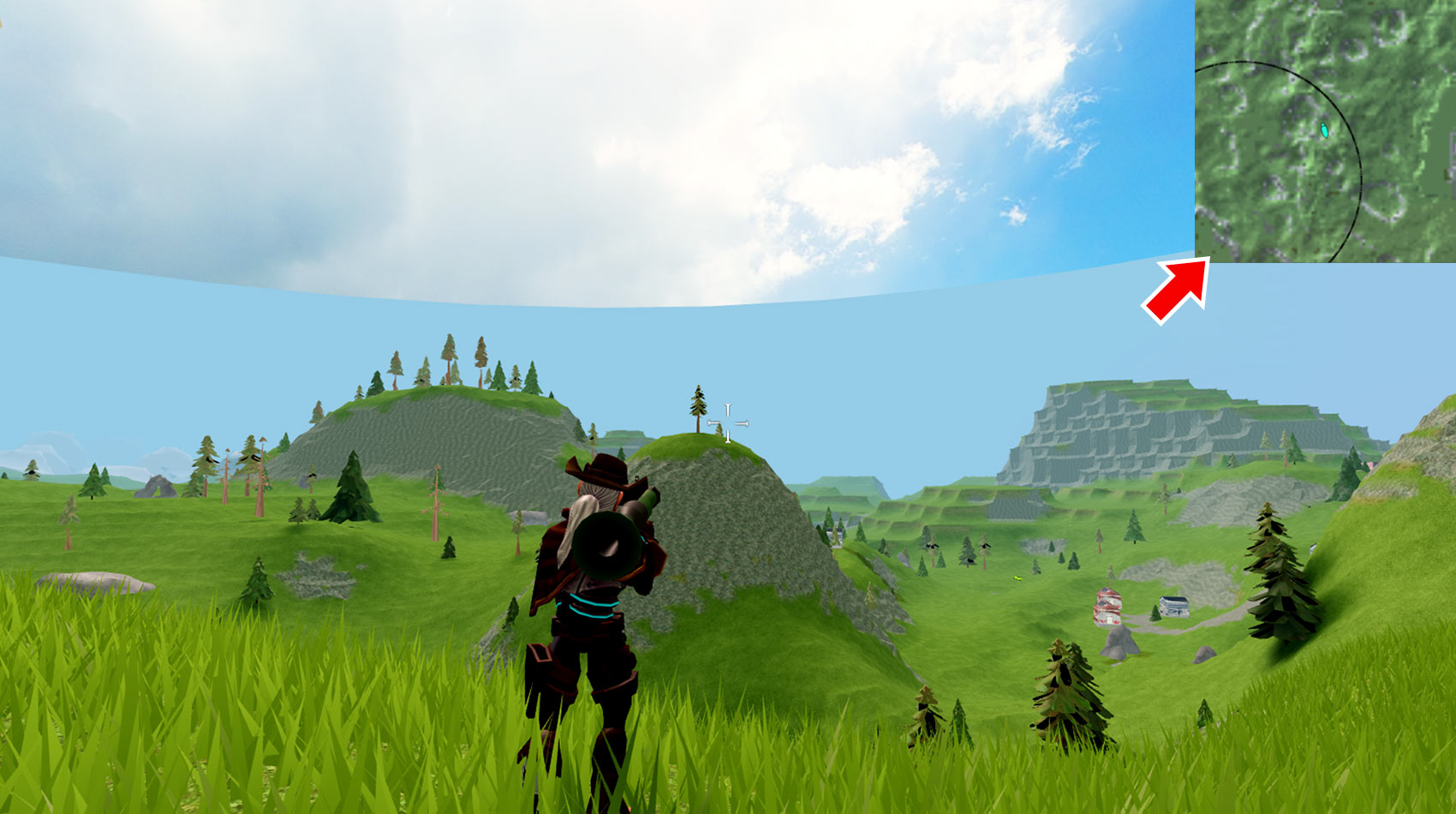
Players can toggle between the minimap and world map by pressing M on a keyboard, pressing up on a gamepad's DPad, or by touching the minimap on touchscreens.
Structure#
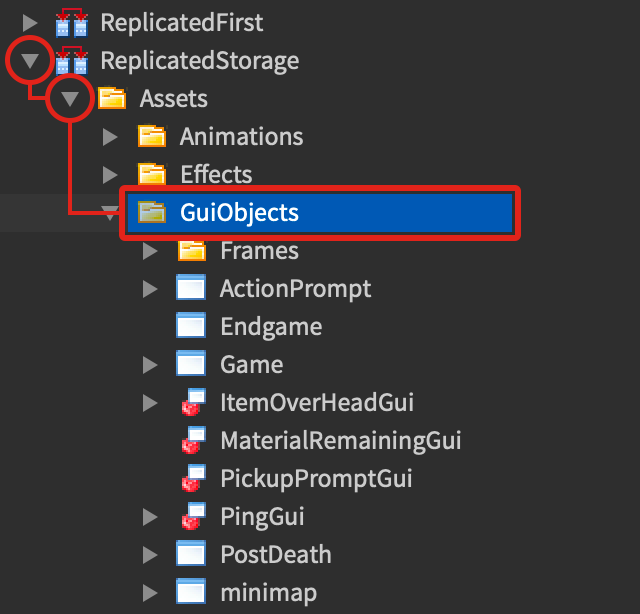
The minimap is simply an ImageLabel that displays a previously-generated image and uses CollectionService to show the position of objects with specific tags. All of the UI objects used for the minimap are inside of the minimap screen GUI located in ReplicatedStorage/Assets/GuiObjects.
Add indicators#
To add new indicators that show up on the minimap, complete these steps:
Through the Tags section of its properties, apply a custom tag to the workspace object that you want to show up on the minimap.
Add the
ImageLabelyou want to represent the object as a child ofReplicatedStorage/Assets/GuiObjects/minimap/mapframeand give it a unique name.Inside of
ReplicatedStorage/Libraries/Guis/MinimapGui, locate theMinimapGui.start()function. Inside it, register the tag as shown below, where tag is the tag you registered in step #1 andindicatorLabelis the name of theImageLabelyou added in step #2.function MinimapGui.start(teamDividingAngle) while not _setupFinished do task.wait() end MinimapGui.addMapTag("DeliveryVehicle", "Bus") MinimapGui.addMapTag(Util._clientFocusTag, "LocalPlayerLocation") MinimapGui.addMapTag("Player") MinimapGui.addMapTag("Vehicle", "VehicleLocation") MinimapGui.addMapTag(tag, indicatorLabel)
Customize the minimap#
To customize the minimap or use the minimap system with your own map and minimap image, you can change these values in ReplicatedFirst/Configurations/MainConfiguration:
| Variable | Description |
|---|---|
map_size |
The size of one edge of your map in studs. Note the minimap assumes your map is square and that the map center is located at this world point: Vector3.new(map_size, 0, map_size). |
minimap_width |
Width in UDim scale of the minimap on the player's screen. |
minimap_height |
Height in UDim scale of the minimap on the player's screen. |
minimap_zoom |
Amount the minimap is zoomed in on the world map. |
worldmap_width |
Width in UDim scale of the world map on the player's screen. |
worldmap_height |
Width in UDim scale of the world map on the player's screen. |
worldmap_zoom |
Amount the world map is zoomed in on the worldmap. |