Character name/health display
You can customize character UI, like name and health displays, using Class.Humanoid.
The Humanoid instance is used to create character models, both for user avatars and NPCs. When a Humanoid is present inside a Model that contains a part named Head, Roblox displays a name and/or health bar above that part.
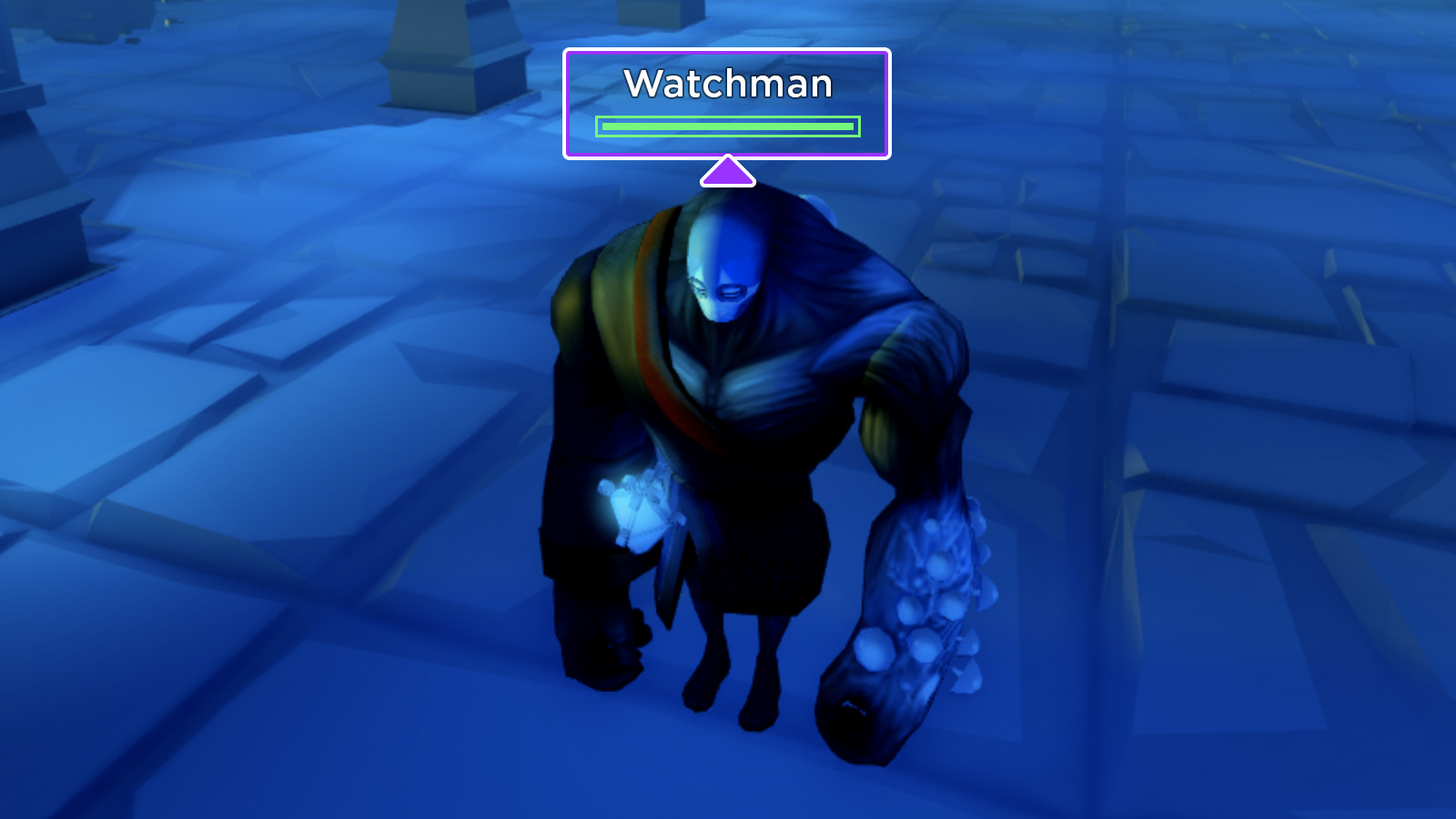
Through various Humanoid properties, you can modify the following:
- The distance from which users can see the name/health of other humanoids in relation to their own character's humanoid.
- The display name which shows over a humanoid.
- Whether a humanoid's health bar always appears, never appears, or only appears when the humanoid is damaged.
- Whether names and health bars are occluded (hidden) when line-of-sight between the camera and another humanoid is blocked.
Display properties#
Display distance type#
The Humanoid.DisplayDistanceType property sets how users see the name/health of other characters in relation to their own character.
Viewer#
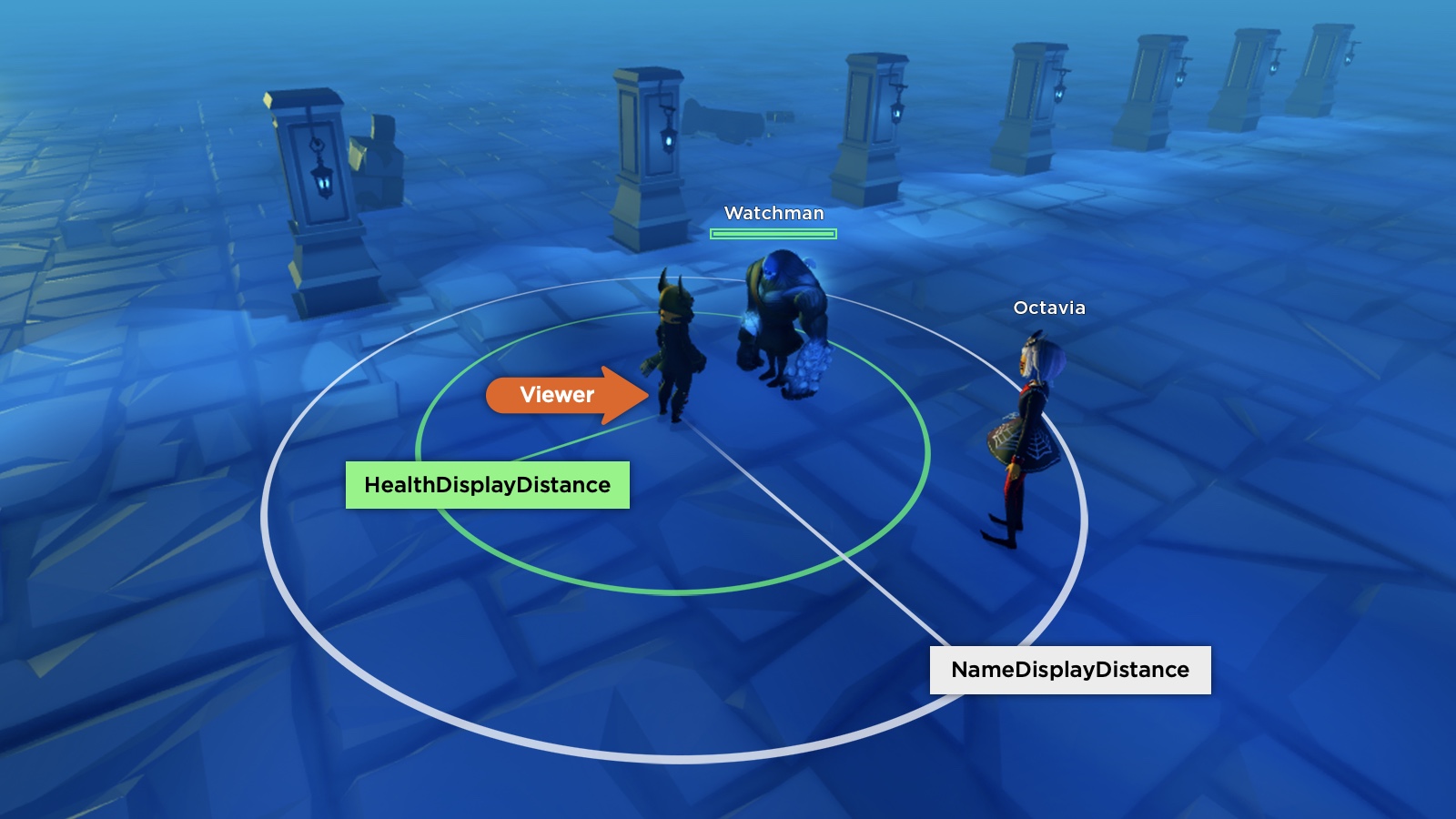
When a humanoid's DisplayDistanceType is set to HumanoidDisplayDistanceType.Viewer, it sees the name/health of other humanoids within range of its own NameDisplayDistance and HealthDisplayDistance. You can consider this the lowest priority since it is not taken into account for other humanoids configured as subject or none.
In the following scenario, the user's character (Viewer) has a larger NameDisplayDistance than HealthDisplayDistance, as indicated by the circles. As a result, the user sees character names for both Watchman and Octavia, but only sees a health bar for Watchman.
Subject#
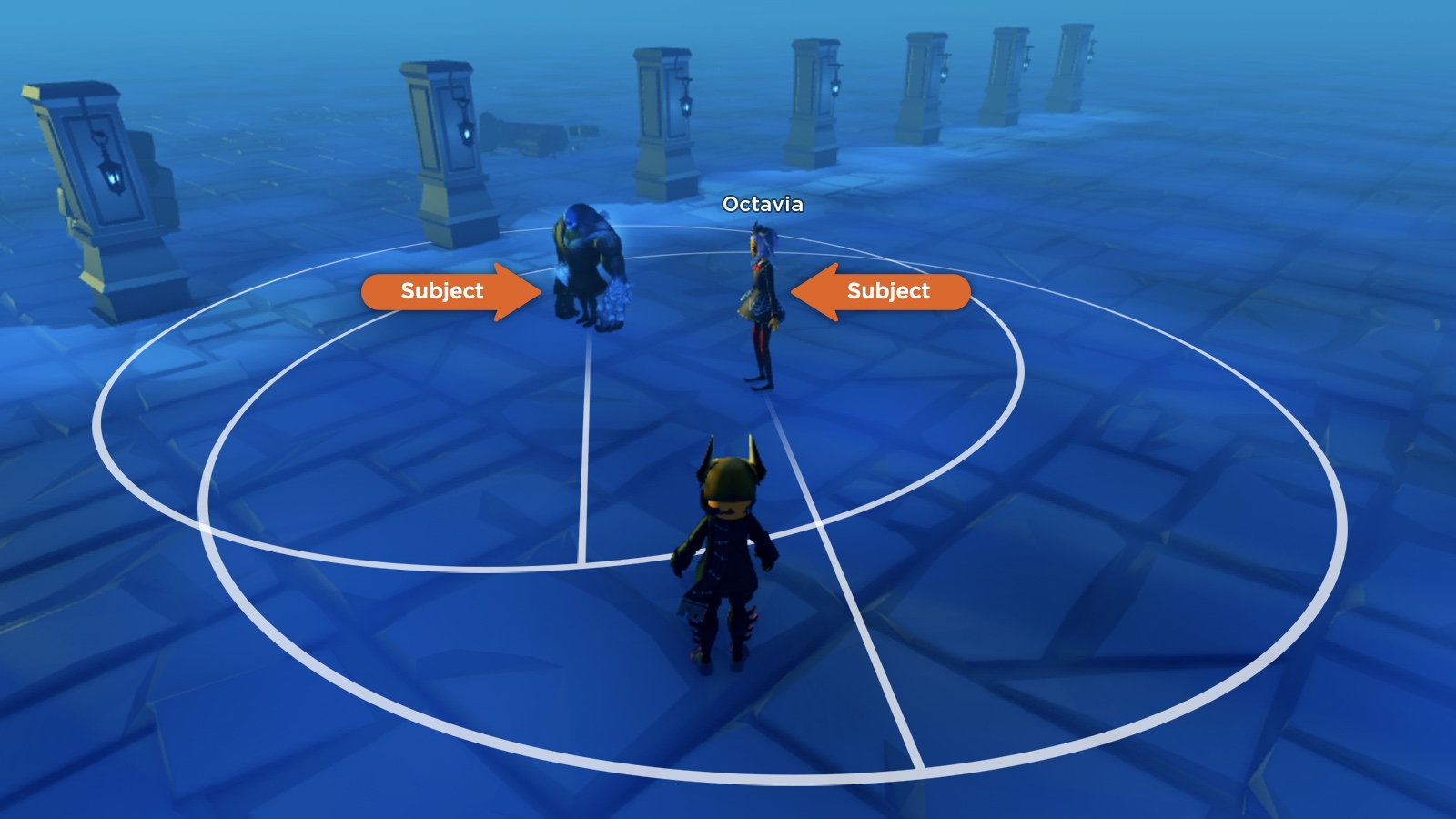
When a humanoid's DisplayDistanceType is set to HumanoidDisplayDistanceType.Subject, it takes full control over its own name and health display through its NameDisplayDistance and HealthDisplayDistance values. Effectively, other humanoids will only see the subject's name/health within those distances from the subject humanoid.
In the following scenario, both Watchman and Octavia are set to Subject and their NameDisplayDistance ranges are indicated by the circles. Only the name Octavia is seen by the user whose character is standing inside her range but outside the Watchman humanoid's range.
None#
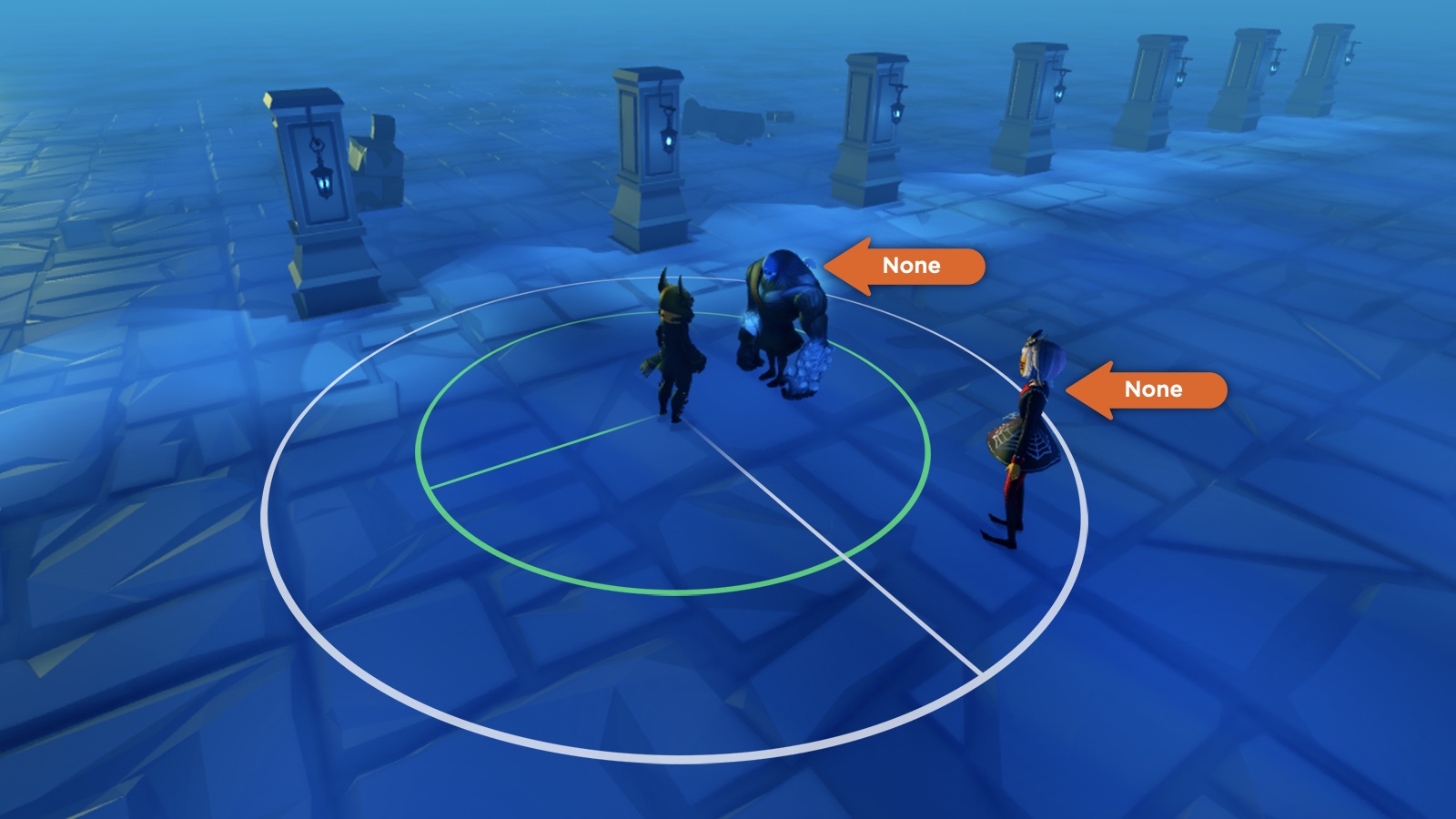
When a humanoid's DisplayDistanceType is set to HumanoidDisplayDistanceType.None, its name and health bar do not appear under any circumstances. In the following scenario, both Watchman and Octavia are set to None, so the other character does not see their name or health even when in range.
Health display type#
The Humanoid.HealthDisplayType property provides further control over the character's health bar visibility. The bar reflects the humanoid's Health as a factor of its MaxHealth and it changes color from green to yellow to red as the humanoid's health decreases.
AlwaysOn#
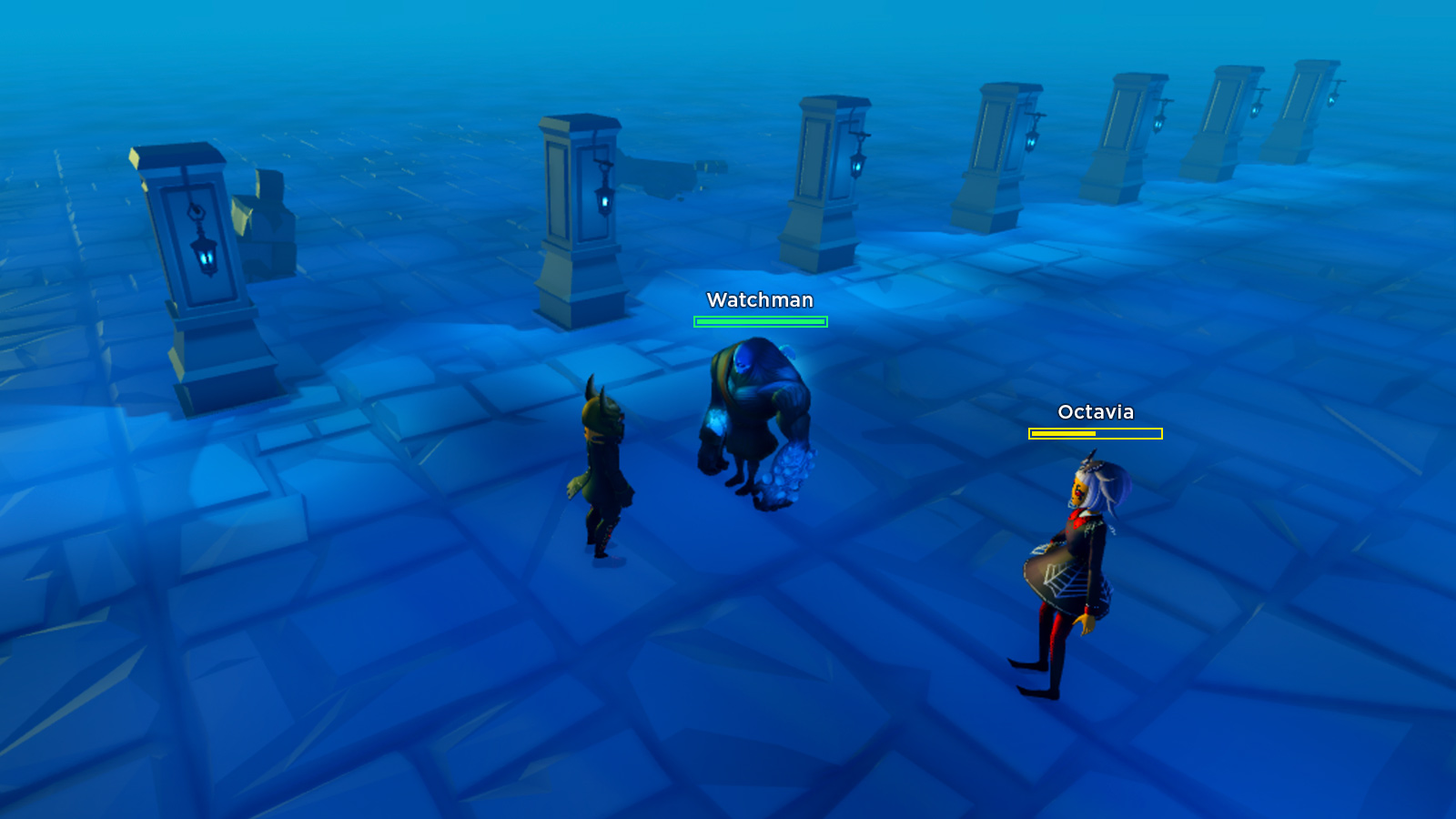
When a humanoid's HealthDisplayType is set to HumanoidHealthDisplayType.AlwaysOn, its health bar always appears.
DisplayWhenDamaged#
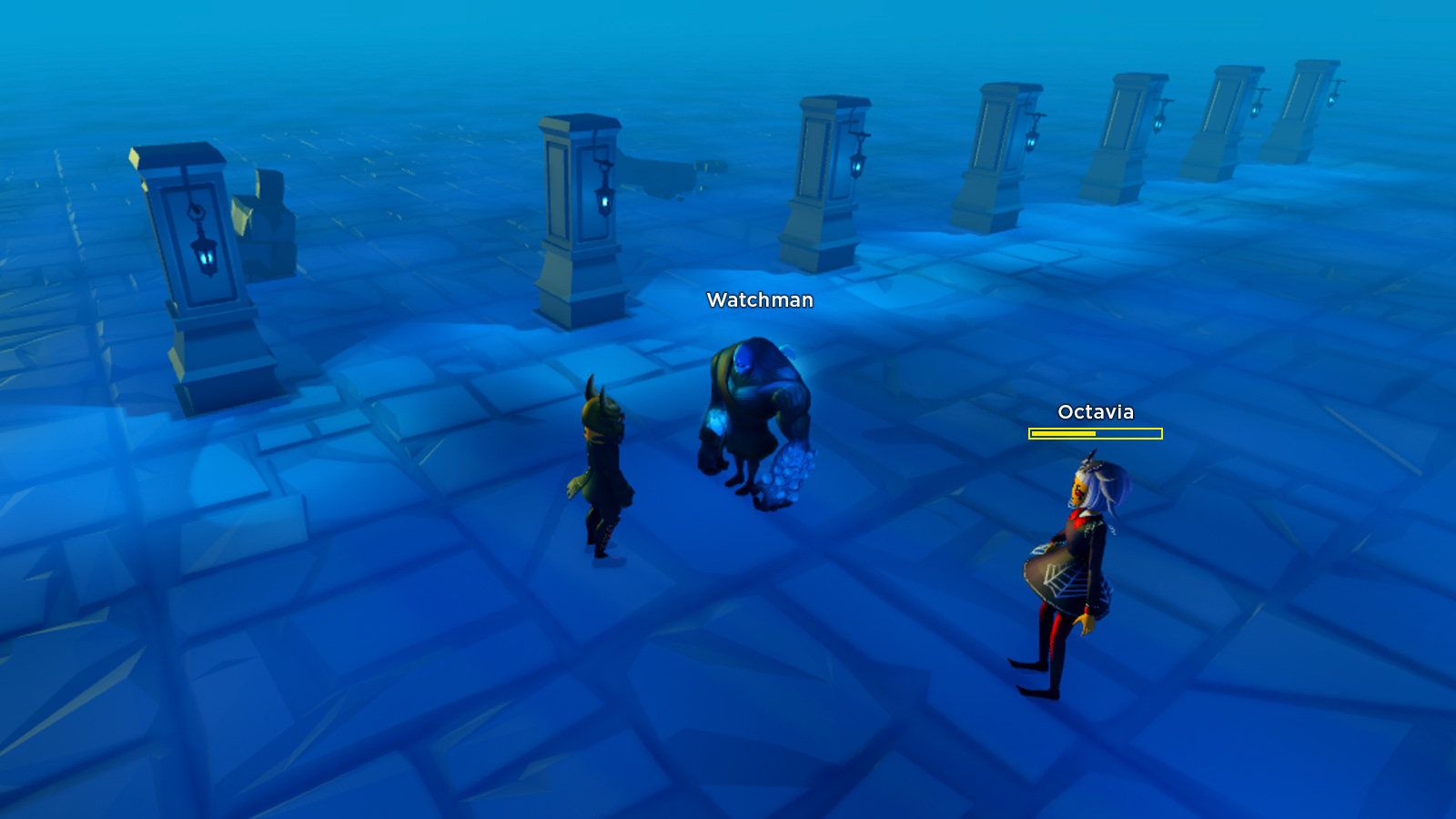
A humanoid with HealthDisplayType set to HumanoidHealthDisplayType.DisplayWhenDamaged only shows a health bar when its Health is less than its MaxHealth. In the following scenario, Watchman has full health and does not display a health bar, but Octavia is damaged by 50% and displays a yellow health bar.
AlwaysOff#
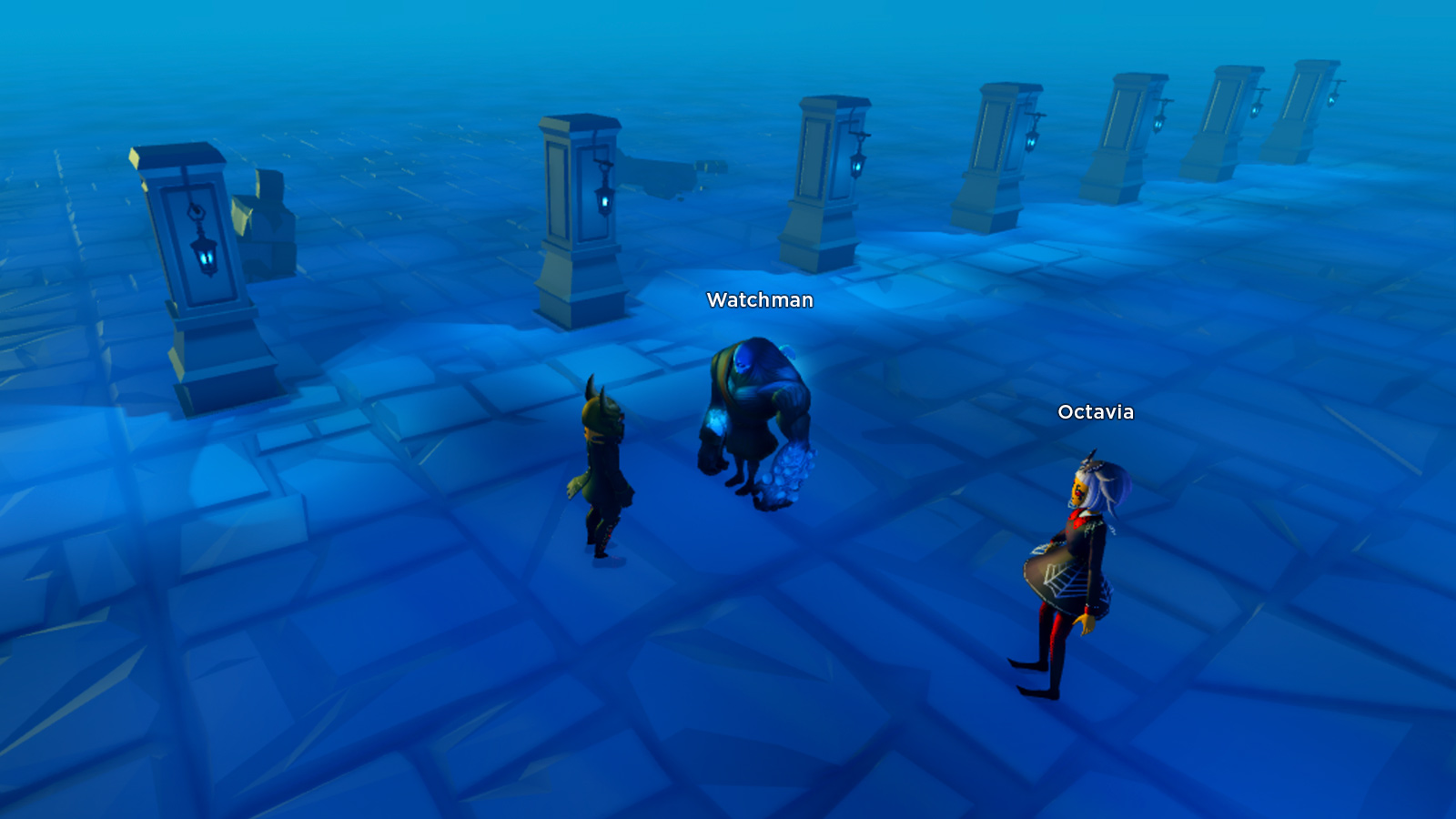
When a humanoid's HealthDisplayType is set to HumanoidHealthDisplayType.AlwaysOff, its health bar never appears under any circumstances.
Occlusion#
Occlusion (hiding) of humanoid names behind walls or other objects is controlled by the character's Humanoid.NameOcclusion property.
Occlusion does not occur if the occluding object's Transparency is higher than 0.99. Occlusion also does not occur when a humanoid is hidden behind a Model containing a Humanoid, such as another user's avatar character.
NoOcclusion#
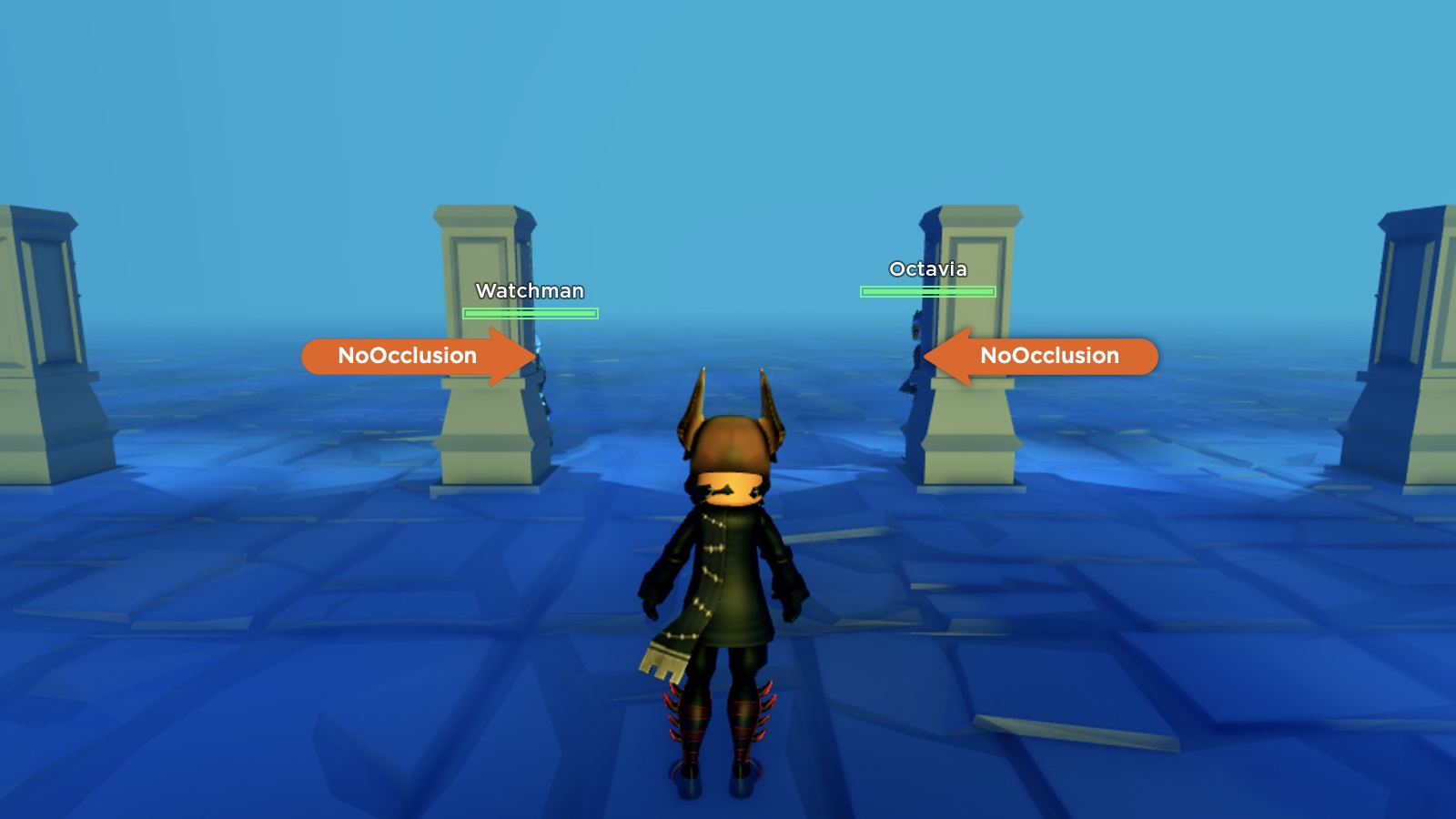
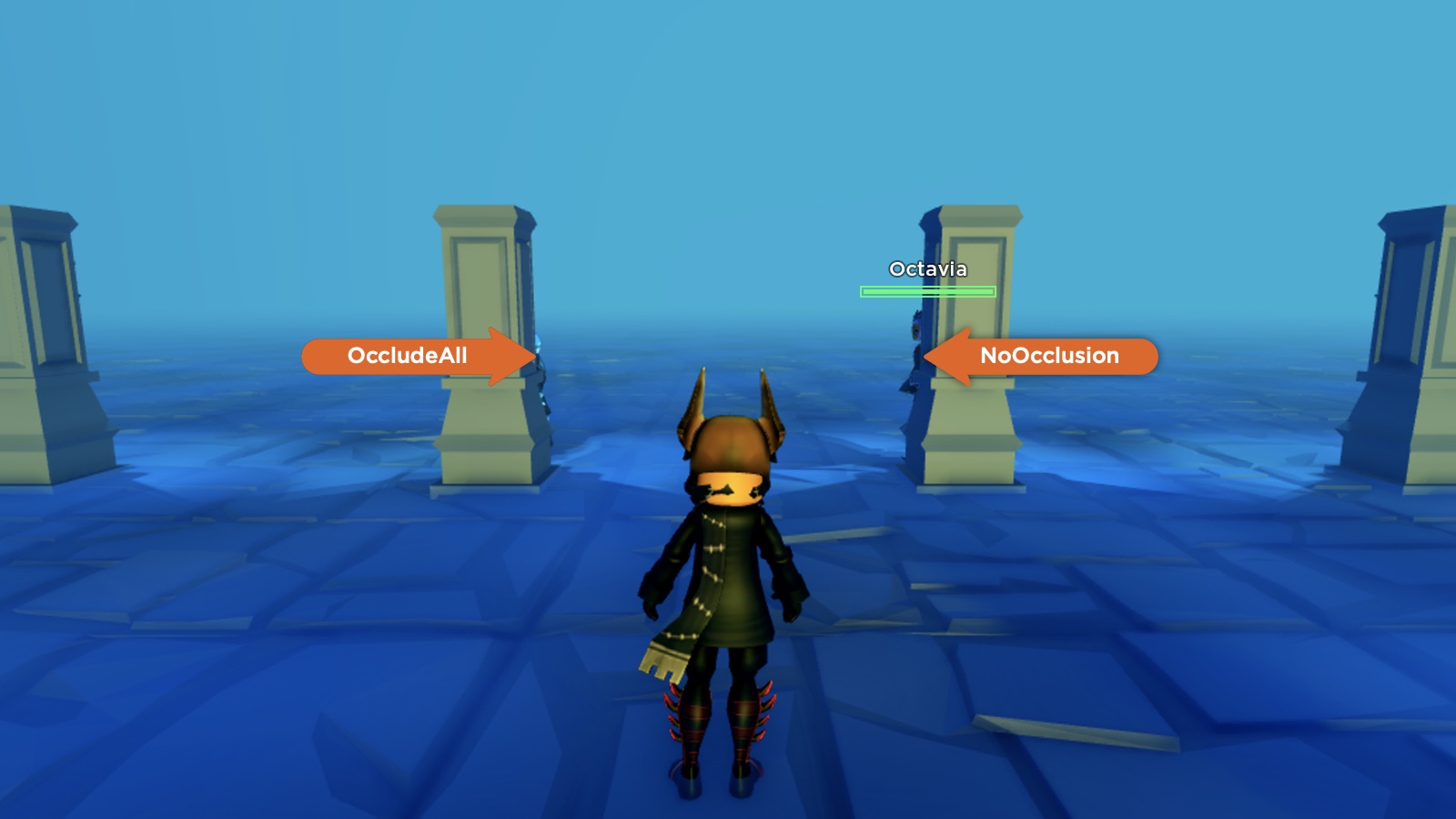
When a humanoid is hidden behind a visible object and its NameOcclusion is set to NameOcclusion.NoOcclusion, its name and health are never occluded from viewing humanoids.
In the following scenario, both Watchman and Octavia are set to NoOcclusion. Although both are sufficiently hidden behind stone columns, the viewing humanoid still sees their name/health displays.
OccludeAll#
When a humanoid is hidden behind a visible object and its NameOcclusion is set to NameOcclusion.OccludeAll, its name and health are always occluded from viewing humanoids.
In the following scenario, both Watchman and Octavia are sufficiently hidden behind stone columns. Watchman is set to OccludeAll, so its name and health are hidden from the viewing humanoid. Octavia, however, is set to NoOcclusion and her name/health remains visible to the viewing humanoid.
EnemyOcclusion#
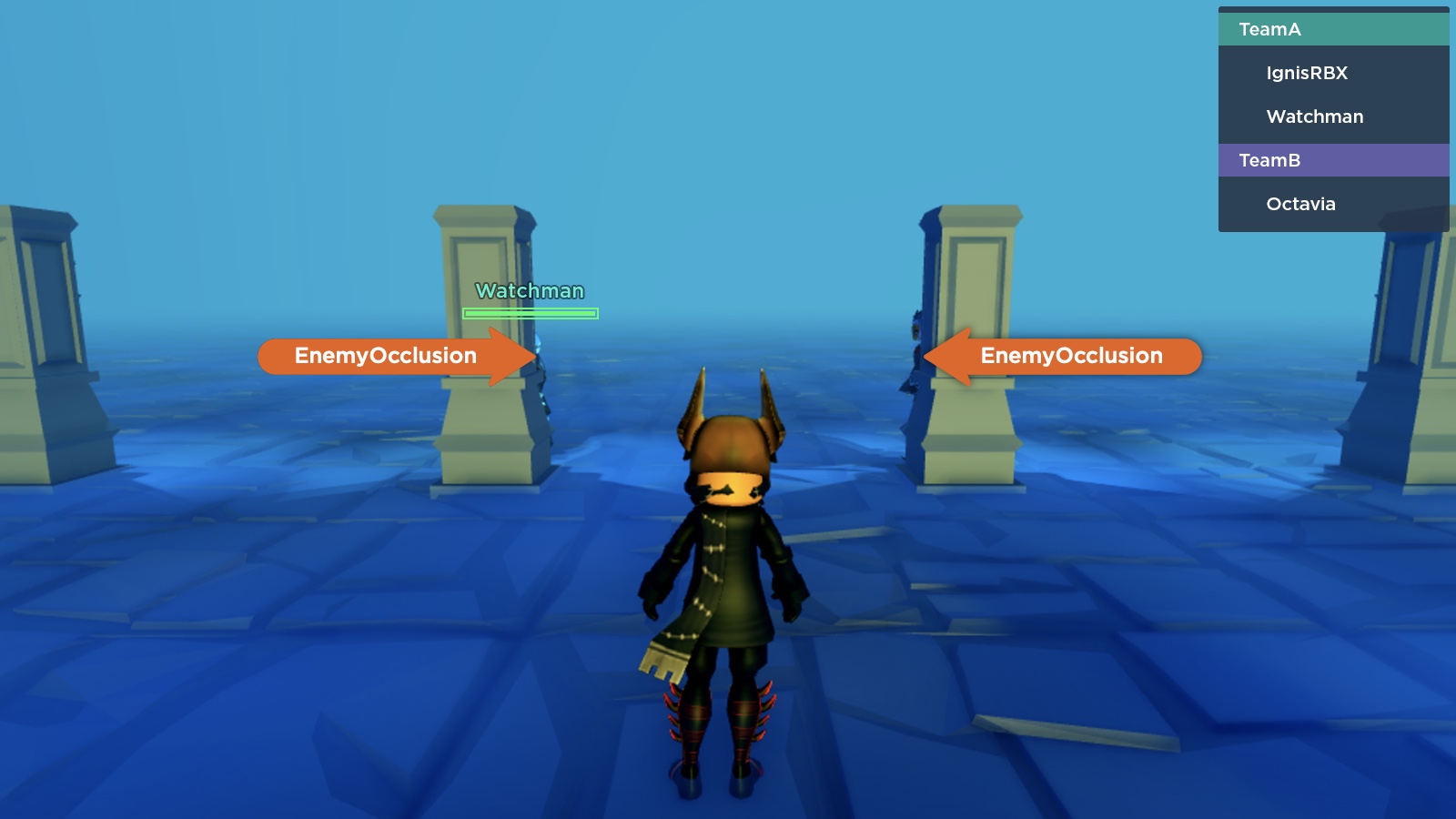
When a humanoid is hidden behind a visible object and its NameOcclusion is set to NameOcclusion.EnemyOcclusion, its name and health are only occluded from enemy humanoids (players on a different Team).
In the following scenario, both Watchman and Octavia are sufficiently hidden behind stone columns, and both are set to EnemyOcclusion. The viewing humanoid and Watchman are on the same Team, so name/health occlusion does not occur. However, the name and health of Octavia, on the opposing team, are occluded.
Modify character displays#
User avatars#
To modify the name or health display for every incoming avatar in a game, connect the Players.PlayerAdded and Player.CharacterAdded events in a Script and set display properties on the character's Humanoid.
local Players = game:GetService("Players")

local function onPlayerAdded(player)
	player.CharacterAdded:Connect(function(character)
		local humanoid = character:FindFirstChildWhichIsA("Humanoid")
		if humanoid then
			-- Give each humanoid full control over its name/health display distance
			humanoid.DisplayDistanceType = Enum.HumanoidDisplayDistanceType.Subject
			-- Set name display distance to 20 studs
			humanoid.NameDisplayDistance = 20
			-- Set health bar display distance to 15 studs
			humanoid.HealthDisplayDistance = 15
			-- Only show health bar when humanoid is damaged
			humanoid.HealthDisplayType = Enum.HumanoidHealthDisplayType.DisplayWhenDamaged
		end
	end)
end

Players.PlayerAdded:Connect(onPlayerAdded)
You can also customize properties based on a player's Team, such as setting all "guard" players to a generic name, and hiding the names of all "ninja" players.
local Players = game:GetService("Players")

local function onPlayerAdded(player)
	player.CharacterAdded:Connect(function(character)
		local humanoid = character:FindFirstChildWhichIsA("Humanoid")
		if humanoid then
			-- Set the name of all guards to generic "Guard"
			if player.Team.Name == "Guards" then
				humanoid.DisplayName = "Guard"
			-- Hide the name for all ninjas
			elseif player.Team.Name == "Ninjas" then
				humanoid.DisplayDistanceType = Enum.HumanoidDisplayDistanceType.None
			end
		end
	end)
end

Players.PlayerAdded:Connect(onPlayerAdded)NPC characters#
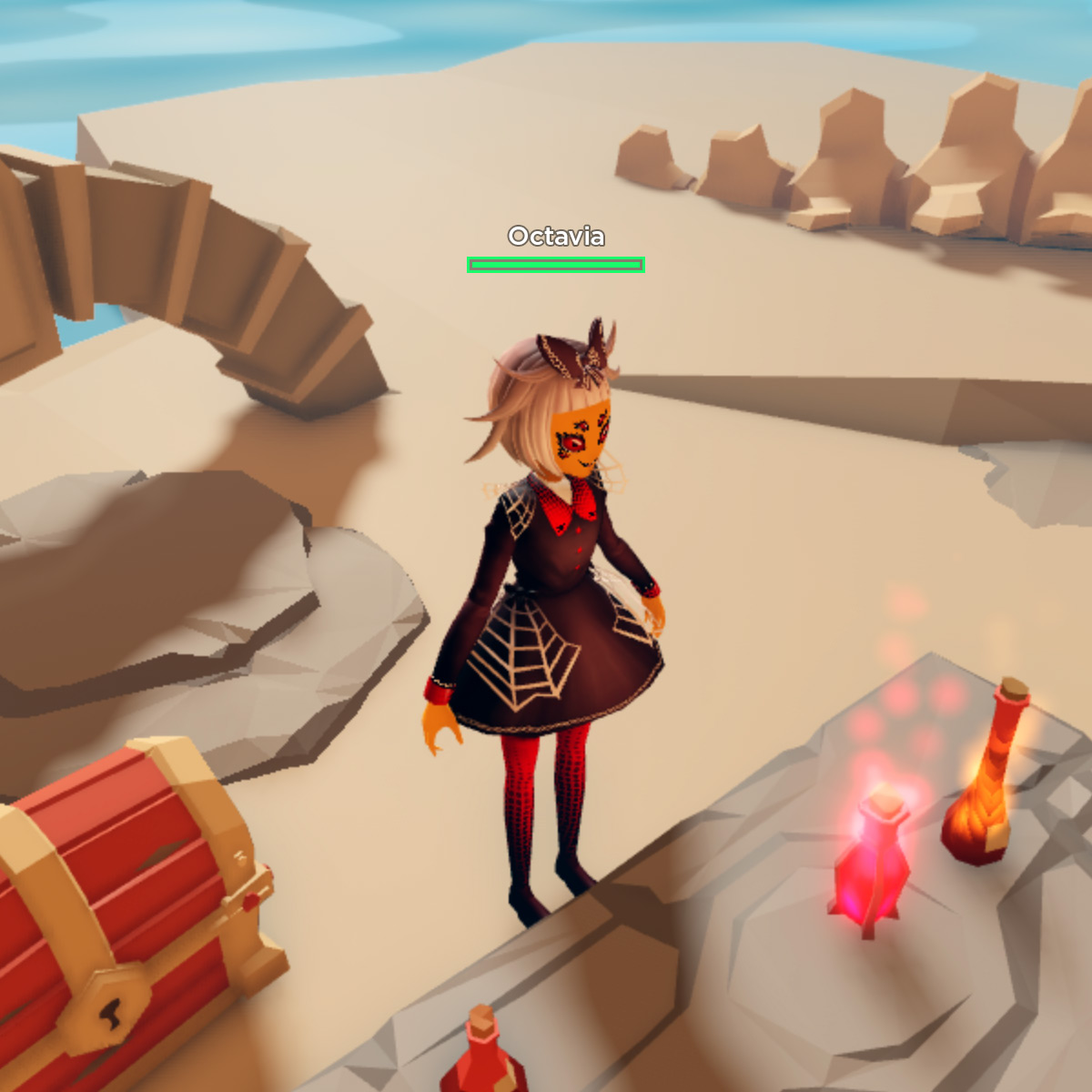
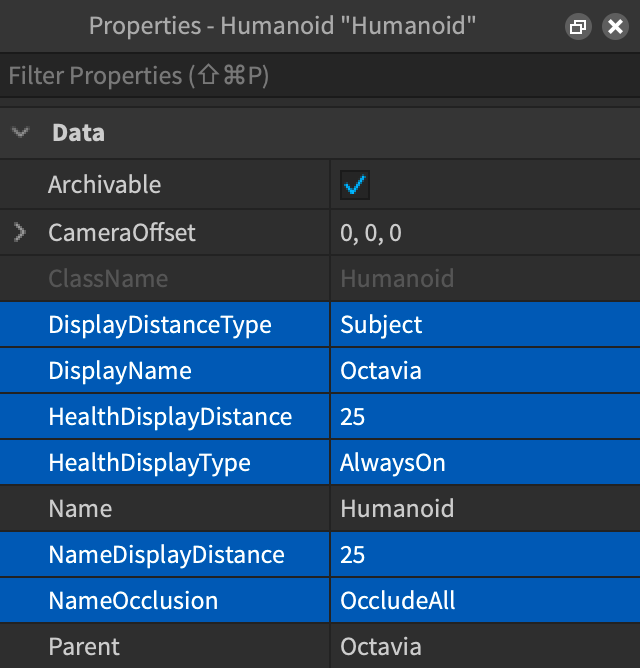
For NPC characters already placed in the 3D world, you can edit name/health directly on the Humanoid object in the Properties window.
Override display names#
By default, a humanoid's display name matches the user's Roblox account Display Name which is unique and separate from their account Username. To show a fully custom name that's unrelated to the user's account, you can override the Humanoid.DisplayName property.
Set directly#
You can set the DisplayName property of any Humanoid instance which you gain reference to through a Script, such as the team customization example, or directly on an NPC character's Humanoid object.
Set through user input#
In some genres like roleplaying or fighting, you may want to provide a method for users to input their own character name, pet character name, etc. that's specific to the experience and isn't tied to their account display name. You can gather this input on the client side through a TextBox name entry.
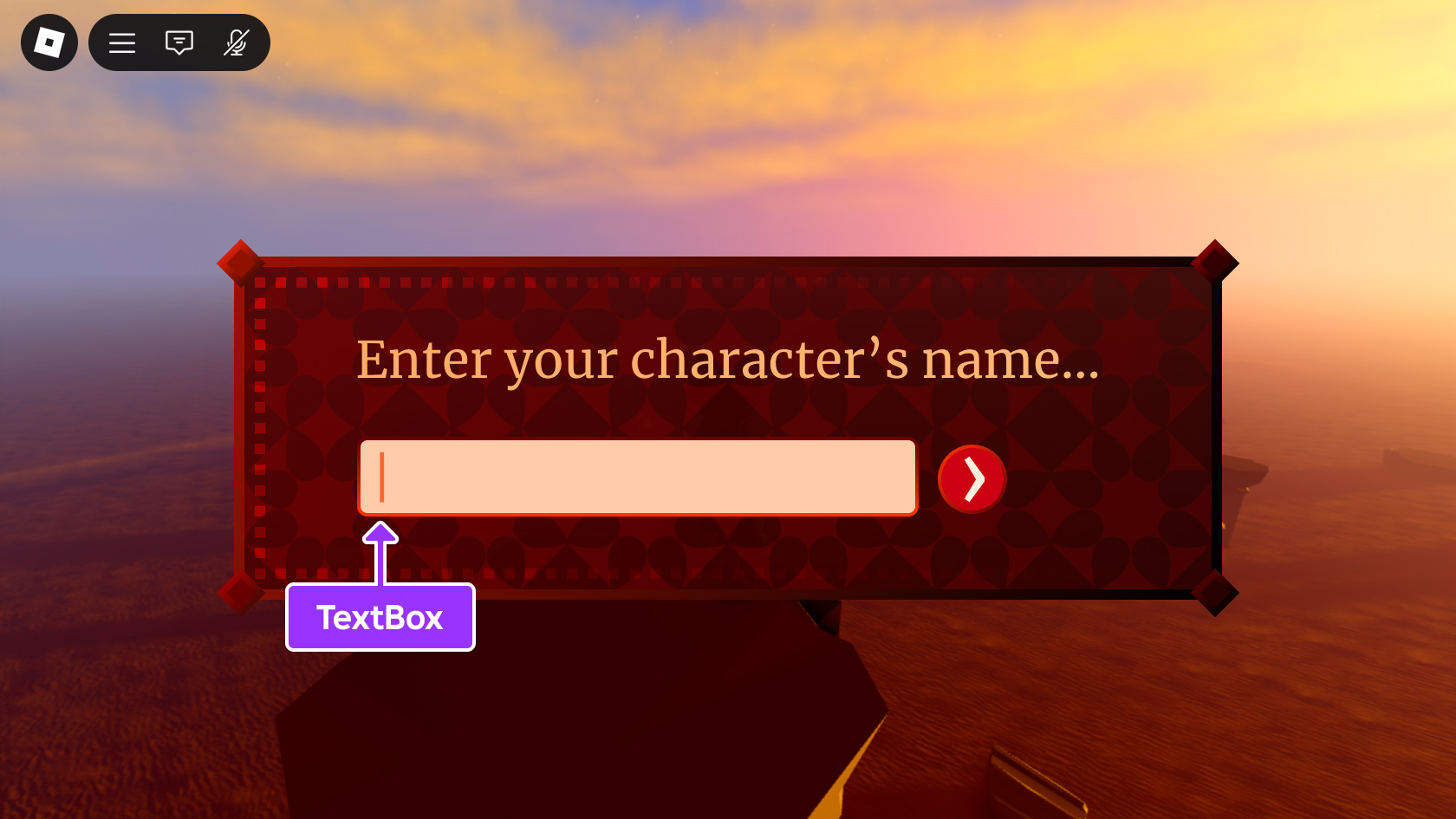
Once the input is submitted, you can pass it to the server through a remote event and then, on the server side, listen for the remote event and assign the filtered name to the user character's Humanoid.
local ReplicatedStorage = game:GetService("ReplicatedStorage")

local changeNameEvent = ReplicatedStorage:WaitForChild("ChangeNameEvent")
changeNameEvent:FireServer("Amory")local ReplicatedStorage = game:GetService("ReplicatedStorage")
local TextService = game:GetService("TextService")
-- Create remote event to receive text from client for filtering
local changeNameEvent = Instance.new("RemoteEvent")
changeNameEvent.Name = "ChangeNameEvent"
changeNameEvent.Parent = ReplicatedStorage
local function onRequestNameChange(player, newName)
local character = player.Character
local humanoid = character:FindFirstChildWhichIsA("Humanoid")
local filterResult
local success, errorMessage = pcall(function()
filterResult = TextService:FilterStringAsync(newName, player.UserId)
end)
if success then
local filteredName
local success, errorMessage = pcall(function()
filteredName = filterResult:GetNonChatStringForBroadcastAsync()
end)
if success and humanoid then
humanoid.DisplayName = filteredName
end
end
end
changeNameEvent.OnServerEvent:Connect(onRequestNameChange)