Assemblies
Explains physical assemblies and how they behave in Roblox's rigid body physics engine.
An assembly is one or more parts welded by a rigid WeldConstraint or connected through movable joints, like Motor6Ds. You can group an assembly of parts in a model container to quickly organize the parts and related objects as a single asset.


From a physics perspective, an assembly is considered a single rigid body, meaning no force can push or pull the connected parts from each other, and they will move as a single unit. All forces applied to a specific BasePart are applied to its assembly — for instance, BasePart:ApplyImpulse() applies impulse to the assembly at BasePart.AssemblyCenterOfMass.
The joints that combine multiple parts into assemblies are only active in the Workspace or another WorldModel instance. If the parts are stored elsewhere, all of the welds/connections that combine parts into assemblies will be non-functional.
To view colored outlines around parts in order to visualize single rigid body assemblies, toggle on Assemblies from the Visualization Options widget in the upper‑right corner of the 3D viewport.
Assembly properties#
The following BasePart properties show data regarding its assembly. Their values will be the same for any part in the same assembly, so it doesn't matter which part you use.
| Property | Description |
|---|---|
BasePart.AssemblyLinearVelocity |
The linear velocity vector of the part's assembly. Setting the velocity directly may lead to unrealistic motion, so usage of a VectorForce or LinearVelocity constraint is preferred, or BasePart:ApplyImpulse() for an instantaneous change in linear velocity. |
BasePart.AssemblyAngularVelocity |
The angular velocity vector of the part's assembly. Setting the velocity directly may lead to unrealistic motion, so usage of a Torque or AngularVelocity constraint is preferred, or BasePart:ApplyAngularImpulse() for an instantaneous change in angular velocity. |
BasePart.AssemblyCenterOfMass |
A read-only position calculated via the mass and position of all the parts in the assembly. A force applied to the center of mass will not cause angular acceleration, only linear. |
BasePart.AssemblyMass |
The sum of the BasePart.Mass of all parts in the assembly. If the assembly has an anchored part, the assembly's mass is considered infinite. |
BasePart.AssemblyRootPart |
The part automatically chosen to represent the assembly's root part. |
Assembly root part#
Every assembly has a root part indicated by its AssemblyRootPart property. This is the part that doesn't move when Motor6D transforms are updated, as well as the part used to keep consistent physics replication and network ownership.
You cannot explicitly set the root part, but the following factors affect probability from highest to lowest:

An Anchored part will always be assigned as the root part.

Parts with Massless set to false (default) take precedence.

Higher RootPriority values take precedence.

Precedence based on the part's size (largest face area), with multipliers for specific part types. Seats and VehicleSeats receive the highest multiplier, followed by parts named HumanoidRootPart, then parts named Torso.
Anchoring behavior#
When one of an assembly's parts is anchored, that part becomes the root part and all of the other parts become implicitly anchored with it. The following sequence illustrates this behavior.
Below, four parts are welded together with
WeldConstraints(green bars) to form a single assembly, as indicated by the matching colored outlines.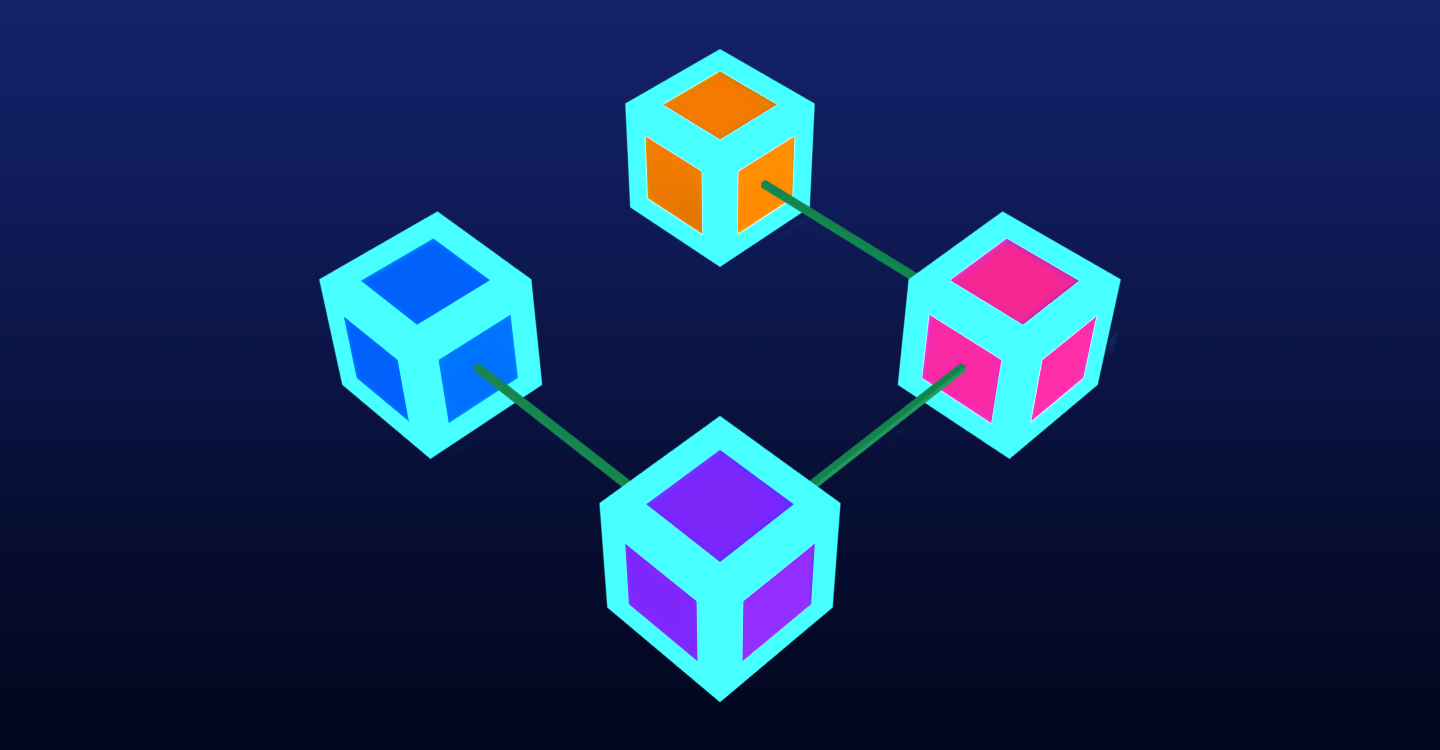
Four parts welded to become a single assembly If just one part in the assembly is anchored, the assembly will not change, other than the root part potentially changing (the anchored part always has the highest priority for becoming the root part).
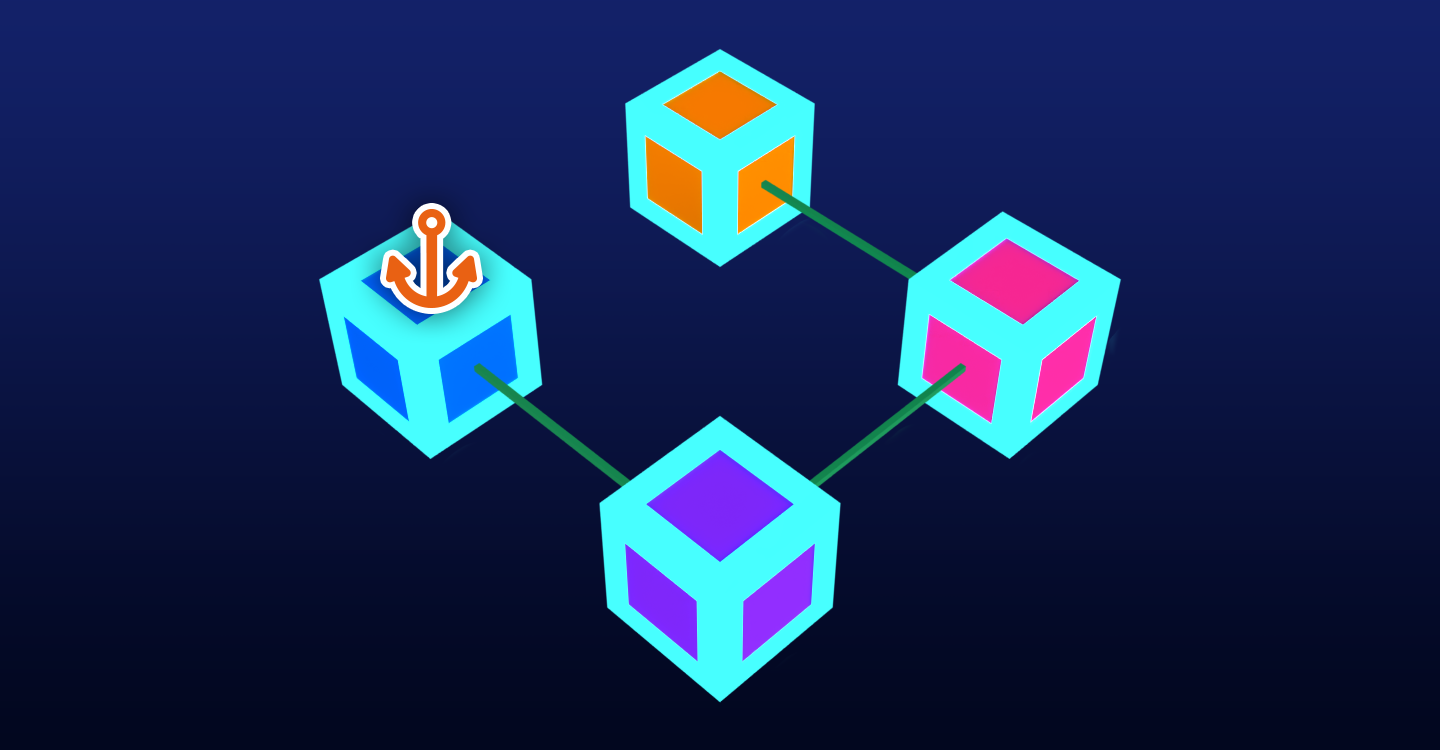
Anchored part (as indicated with an anchor icon) becomes the new root part If more than one part is anchored, the assembly will split. Below, both the left and top parts are anchored, so the original assembly splits into two assemblies as shown by the colored outlines. Also, the
WeldConstraintbetween the two assemblies deactivates, since you cannot have an active weld between two anchored assemblies.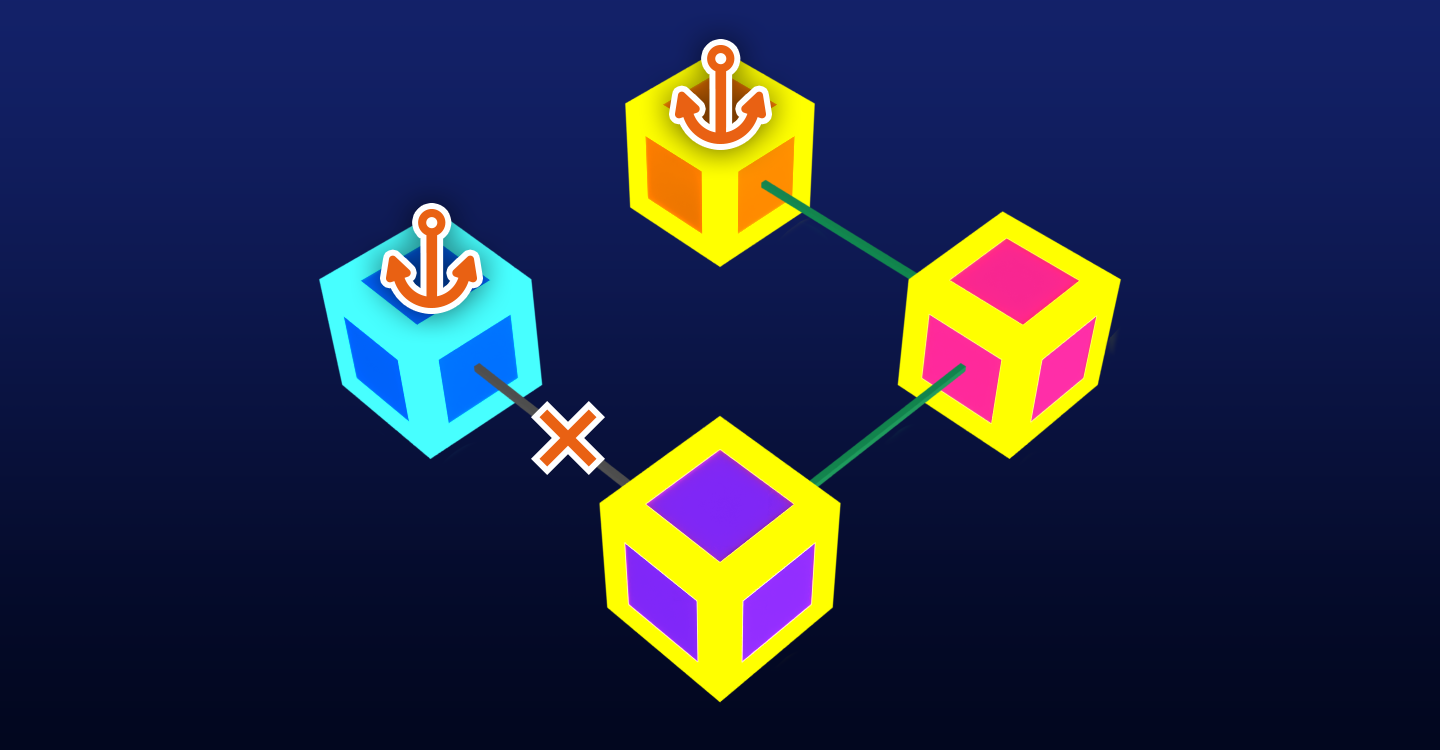
Two assemblies with anchored parts as their respective root parts
If you want to anchor all parts in an assembly, you only need to anchor the assembly's root part. Anchoring all parts is actually less performant, as it creates more assemblies.