Class
Workspace
NotCreatableService
Workspace houses 3D objects which are rendered to the 3D world. Objects not
descending from it will not be rendered or physically interact with the world.
The core job of Workspace is to hold objects that exist in the 3D
world, effectively BaseParts and
Attachments. While such objects are descendant of
Workspace, they will be active. For BaseParts, this
means they will be rendered, and physically interact with other parts and the
world. For Attachments, this means that objects adorned to
them, such as ParticleEmitters, Beams,
and BillboardGuis, will render.
Understanding this behavior is important, as it means objects can be removed
from Workspace when they are not needed. For example, map
Models can be removed when a different map is being played on.
Objects that are not immediately needed in the 3D world are generally stored
in ReplicatedStorage or ServerStorage.
In its role as the holder of active 3D objects, Workspace includes a
number of useful functions related to parts, their positions, and joints
between them.
Accessing the Workspace#
Workspace can be accessed several ways, all of which are valid.
workspacegame:GetService("Workspace")game.Workspace
Notes#
- Objects that require adornment, such as
ParticleEmittersandBillboardGuis, will be at the(0, 0, 0)position when parented toWorkspacewithout an adornee otherwise being set. - The
Model:MakeJoints()andModel:BreakJoints()methods inherited from theModelclass are overridden byWorkspace:MakeJoints()andWorkspace:BreakJoints()which can only be used in plugins. - It is impossible to delete
Workspace. Workspaceautomatically cleans upBasePartsthat fall beneathFallenPartsDestroyHeight.- A client's current
Cameraobject can be accessed using theWorkspace.CurrentCameraproperty. - The
Terrainobject can be accessed using theWorkspace.Terrainproperty.
Properties 52#
AirDensityfloat | The air density at ground level, used in the aerodynamic force model.ReadSafe |
AirTurbulenceIntensityfloat | Controls the strength of turbulence present in the wind velocity field, affecting the aerodynamic force model.ReadSafe |
AllowThirdPartySalesboolean | Determines whether assets created by other users can be sold in the game.ReadSafeNotReplicated |
AuthorityModeAuthorityMode | Sets the server authority mode.Read: RobloxScriptSecurityWrite: RobloxScriptSecurityReadSafe |
AvatarUnificationModeAvatarUnificationMode | Enables the R6 to R15 adapter, allowing R15 avatars to join R6 experiences.ReadSafeNotScriptable |
ClientAnimatorThrottlingClientAnimatorThrottlingMode | Specifies the animation throttling mode for the local client.ReadSafe |
CurrentCameraCamera | The Camera object being used by the local player.ReadSafeNotReplicated |
DistributedGameTimedouble | The amount of time, in seconds, that the game has been running.ReadSafeNotReplicated |
EnableSLIMAvatarsRolloutState | Controls whether SLIM rendering is used for avatars in the experience.ReadSafeNotScriptable |
FallenPartsDestroyHeightfloat | Determines the height at which falling BaseParts and
their ancestor Models are removed from Workspace.ReadSafe |
FallHeightEnabledboolean | Controls whether parts that fall below
Workspace.FallenPartsDestroyHeight are automatically destroyed.ReadSafe |
FilteringEnabledboolean | Determines whether changes made from the client will replicate to the server or not.Write: PluginSecurityReadSafeDeprecatedHiddenNotReplicated |
FluidForcesFluidForces | Determines whether the physics engine computes aerodynamic forces on
BaseParts whose
EnableFluidForces property is true.ReadSafeNotScriptable |
GlobalWindVector3 | Specifies the global wind vector for animated terrain grass, dynamic clouds, and particles.ReadSafe |
Gravityfloat | Determines the acceleration due to gravity applied to falling
BaseParts.ReadSafe |
IKControlConstraintSupportIKControlConstraintSupport | Enables support for constraints for IKControls. If disabled, IKControls ignore physics constraints.ReadSafeNotScriptable |
ImprovedAnimationConstraintRolloutState | Controls whether improved behavior is enabled for
AnimationConstraints.ReadSafeNotScriptable |
ImprovedPhysicsReplicationRolloutState | Controls whether the experience uses the improved physics replication path between the server and clients.ReadSafeNotScriptable |
InsertPointVector3 | The world position at which new objects are placed when inserted from the toolbox.ReadSafeNotReplicated |
InterpolationThrottlingInterpolationThrottlingMode | Deprecated setting that configured the interpolation throttling mode; it no longer takes effect.Write: PluginSecurityReadSafeDeprecatedHiddenNotReplicated |
LayeredClothingCacheOptimizationsRolloutState | Controls whether layered clothing cache optimizations are enabled.ReadSafeNotScriptable |
LuauTypeCheckModeLuauTypeCheckMode | Sets the Luau type checking mode for scripts in the experience.ReadSafe |
MeshPartHeadsAndAccessoriesMeshPartHeadsAndAccessories | Sets whether character Heads and Accessories should be downloaded as MeshParts.ReadSafeNotScriptable |
MeshStreamingAndImprovedLodsRolloutState | Controls whether the experience uses the new mesh streaming and improved LOD system.ReadSafeNotScriptable |
ModelStreamingBehaviorModelStreamingBehavior | Controls how Models are replicated in experiences when
instance streaming is enabled.ReadSafeNotScriptable |
NextGenerationReplicationRolloutState | When true, enables an alternate replication system that alters and
improves how properties are replicated under the hood.ReadSafeNotScriptable |
NextGenerationReplicationAliasRolloutState | Read: RobloxEngineSecurityWrite: RobloxEngineSecurityReadSafeNotReplicatedNotScriptable |
PathfindingUseImprovedSearchPathfindingUseImprovedSearch | Controls whether an improved search algorithm is used by
PathfindingService.ReadSafeNotScriptable |
PhysicsSteppingMethodPhysicsSteppingMethod | Sets how the solver will advance the physics simulation forward in time.ReadSafeNotScriptable |
PlayerCharacterDestroyBehaviorPlayerCharacterDestroyBehavior | Controls whether the engine automatically calls Destroy() on a player's
character when it is replaced and on the Player object when the player
leaves.ReadSafeNotScriptable |
PlayerScriptsUseInputActionSystemRolloutState | Controls whether the built-in player scripts are updated to use the Input Action System.Read: RobloxScriptSecurityWrite: RobloxScriptSecurityReadSafeNotScriptable |
PlayerScriptsUseInputActionSystemAliasRolloutState | Read: RobloxEngineSecurityWrite: RobloxEngineSecurityReadSafeNotReplicatedNotScriptable |
PredictiveStreamingModePredictiveStreamingMode | Controls whether the engine can make predictive streaming decisions.ReadSafeNotScriptable |
PrimalPhysicsSolverPrimalPhysicsSolver | Controls whether the experimental Primal Physics Solver is enabled.ReadSafeNotScriptable |
RejectCharacterDeletionsRejectCharacterDeletions | Controls whether the server rejects attempts by clients to delete player characters from the workspace.ReadSafeNotScriptable |
RenderingCacheOptimizationsRenderingCacheOptimizationMode | Controls whether rendering cache optimizations are enabled.ReadSafeNotScriptable |
ReplicateInstanceDestroySettingReplicateInstanceDestroySetting | Controls how Instance:Destroy() calls are replicated from the server to
clients.ReadSafeNotScriptable |
RetargetingAnimatorRetargetingMode | Controls whether animation retargeting is enabled for character animations.ReadSafe |
SandboxedInstanceModeSandboxedInstanceMode | Controls whether sandboxed instance mode (script capabilities) is enabled.ReadSafeNotScriptable |
SignalBehaviorSignalBehavior | Configures when the engine resumes event handlers.ReadSafeNotScriptable |
SignalBehaviorAliasSignalBehavior | Read: RobloxEngineSecurityWrite: RobloxEngineSecurityReadSafeNotReplicatedNotScriptable |
StreamingEnabledboolean | Whether content streaming is enabled for the place.ReadSafe |
StreamingEnabledAliasboolean | Read: RobloxEngineSecurityWrite: RobloxEngineSecurityReadSafeNotReplicatedNotScriptable |
StreamingIntegrityModeStreamingIntegrityMode | Determines whether streaming integrity mode is active.ReadSafeNotScriptable |
StreamingMinRadiusint | Minimum distance that content will be streamed to players with high priority.ReadSafeNotScriptable |
StreamingTargetRadiusint | Maximum distance that content will be streamed to players.ReadSafeNotScriptable |
StreamOutBehaviorStreamOutBehavior | Configures how the engine decides when to stream content away from players.ReadSafeNotScriptable |
TerrainTerrain | A reference to the Terrain object parented to the
Workspace.ReadSafeReadOnlyNotReplicated |
TouchesUseCollisionGroupsboolean | Determines whether parts in different groups set to not
collide will ignore collisions and touch events.ReadSafeNotScriptable |
UseFixedSimulationRolloutState | When true, enables RunService:BindToSimulation() which calls a
function at a fixed frequency, updates physics stepping logic, and makes
the RobloxGlobals.time() function return the fixed stepped frame
time.ReadSafeNotScriptable |
UseFixedSimulationAliasRolloutState | Read: RobloxEngineSecurityWrite: RobloxEngineSecurityReadSafeNotReplicatedNotScriptable |
UseNewLuauTypeSolverRolloutState | Controls whether the new Luau type solver is used for type inference.ReadSafeNotScriptable |
AirDensity: float#
ReadSafe
The ground level (Y of 0) air density in RMU/stud³ units (see
Roblox Units), used to calculate the
aerodynamic force if Workspace.FluidForces is
Experimental. The default corresponds to realistic sea
level air density at standard temperature and pressure. Air density decays
as the Y altitude increases, reaching 5% of its ground level value at
100,000 studs. Below Y of 0, the air density is fixed at the input
value.
AirTurbulenceIntensity: float#
ReadSafe
Controls the intensity of turbulence by determining the magnitude of
fluctuations in wind velocities. Ranges from 0 to 1, with a value of
0 disabling turbulence and a value of 1 providing the most intense
turbulence. The values of AirTurbulenceIntensity roughly correspond to
the following levels:
(0, 0.4]: Low intensity turbulence(0.4, 0.7]: Moderate intensity turbulence(0.7, 1]: High intensity turbulence
The magnitude of the fluctuations at a fixed intensity scale linearly with
the magnitude of the global wind, except in the case that the global wind
is zero. When the global wind is zero, the magnitude of the fluctuations
scale exponentially with AirTurbulenceIntensity, allowing low and high
intensity turbulence to exist with wind velocities that still average out
to zero.
AllowThirdPartySales: boolean#
NotReplicatedReadSafe
This Workspace property determines whether assets created by other
uses can be sold in the game.
AuthorityMode: AuthorityMode#
Read: RobloxScriptSecurityWrite: RobloxScriptSecurityReadSafe
Sets the server authority mode. See AuthorityMode for options.
AvatarUnificationMode: AvatarUnificationMode#
NotScriptableReadSafe
When AvatarUnificationMode.Enabled, R15 avatars can join R6
experiences via the R6 to R15 adapter. R15 characters receive invisible
adapter parts with R6-compatible names welded to their corresponding R15
parts, preserving R6-like scale and movement while enabling R15 features
such as layered clothing and animatable heads. Only relevant when the
experience's avatar type is set to R6.
ClientAnimatorThrottling: ClientAnimatorThrottlingMode#
ReadSafe
Specifies the ClientAnimatorThrottlingMode to use for the local
client.
When enabled, animations on remotely-simulated Model instances
will begin to throttle. The throttler calculates throttling intensity
using:
CurrentCamera: Camera#
NotReplicatedReadSafe
The Camera object being used by the local player.
How to use CurrentCamera#
When looking for a client's Camera object, use this property
rather than looking for a child of Workspace named "Camera".
When you set this property, all other Camera objects in the Workspace
are destroyed, including the previous CurrentCamera. If you set this
property to nil or to a camera that is not a descendant of the Workspace
(or the CurrentCamera is otherwise destroyed), a new Camera will be
created and assigned. Avoid these scenarios, as destroying the camera can
have unintended consequences.
For more information, see Script the camera.
DistributedGameTime: double#
NotReplicatedReadSafe
The amount of time, in seconds, that the game has been running.
Despite the title, this value is currently not 'Distributed' across the client and the server. Instead, on the server it represents how long the server has been running. On the client, it represents how long the client has been connected to the server.
Developers should not rely on the above behavior, and it is possible this property will be synchronized across clients and the server in the future.
Those looking for the time since the program started running should use the 'time' function instead. See below for a comparison between DistributedGameTime and its alternatives.
EnableSLIMAvatars: RolloutState#
NotScriptableReadSafe
This RolloutState property controls whether a
SLIM model is generated for avatar characters in
the experience. When enabled and instance streaming is active, avatars
render using SLIM in the same way that setting Model.LevelOfDetail
to SLIM works for other models.
When set to Enabled, avatars use SLIM rendering. When
set to Disabled, avatars use the traditional rendering
approach. Default follows the current engine-wide
rollout state.
This property cannot be set through developer-facing Luau and must be set in Studio through the Properties window, Command Bar, or a plugin.
FallenPartsDestroyHeight: float#
ReadSafe
This property determines the height at which the engine automatically
removes falling BaseParts and their ancestor
Models from Workspace by parenting them to nil.
This is to prevent parts that have fallen off the map from continuing to
fall forever.
If a part removed due to this behavior is the last part in a
Model, that model will also be removed. This applies to all model
ancestors of the part.
This property is clamped between -50,000 and 50,000 because
BaseParts do not simulate or render properly at a great
distance from the origin due to floating point inaccuracies.
This property can be read by scripts, but can only be set by plugins, the command bar, or the properties window in Studio.
FallHeightEnabled: boolean#
ReadSafe
When false, the kill plane defined by
Workspace.FallenPartsDestroyHeight is disabled and falling parts
are not automatically removed. Defaults to true.
This property can be read by scripts but can only be set by plugins, the command bar, or the properties window in Studio.
FilteringEnabled: boolean#
HiddenNotReplicatedDeprecatedWrite: PluginSecurityReadSafeDeprecated
Deprecated. This property is discontinued.
This property is discontinued and no longer takes effect.
FluidForces: FluidForces#
NotScriptableReadSafe
With this property enabled, the physics engine computes aerodynamic forces
on BaseParts whose
EnableFluidForces property is true. The
default, Default, disables aerodynamic forces. Note
that this property cannot be set through developer-facing Luau and instead
must be toggled in Studio.
GlobalWind: Vector3#
ReadSafe
This property specifies the direction and strength that wind blows through the experience, affecting terrain grass, dynamic clouds, and particles. See the Global Wind article for details.
Gravity: float#
ReadSafe
Determines the acceleration due to gravity applied to falling
BaseParts. This value is measured in studs per second
squared and by default is set to 196.2 studs/second2. By
changing this value, developers can simulate the effects of lower or
higher gravity in game.
IKControlConstraintSupport: IKControlConstraintSupport#
NotScriptableReadSafe
Enables support for constraints for IKControls. The Default value is the
same as Enabled. If disabled, IKControls ignore physics constraints. See
IKControl for additional details.
ImprovedAnimationConstraint: RolloutState#
NotScriptableReadSafe
When enabled, AnimationConstraints use
separate strength and damping settings for linear and angular motion.
Default follows the default for this feature.
ImprovedPhysicsReplication: RolloutState#
NotScriptableReadSafe
When enabled, the experience uses the improved physics replication path.
Default follows the default for this feature.
InsertPoint: Vector3#
NotReplicatedReadSafe
Stores the world-space position used when inserting new objects into the workspace via the Studio IDE.
InterpolationThrottling: InterpolationThrottlingMode#
HiddenNotReplicatedDeprecatedWrite: PluginSecurityReadSafeDeprecated
Deprecated. This property should not be used for new work.
This property has Physics read security and Plugin write security. It
is hidden in the Studio Properties window. Do not use it for new work.
LayeredClothingCacheOptimizations: RolloutState#
NotScriptableReadSafe
Controls whether the engine caches layered clothing rendering data to
improve performance for experiences with many characters wearing layered
clothing. Default follows the current engine-wide
rollout state.
LuauTypeCheckMode: LuauTypeCheckMode#
ReadSafe
Controls the Luau type checking mode applied to scripts in the experience.
See LuauTypeCheckMode for the available modes.
MeshPartHeadsAndAccessories: MeshPartHeadsAndAccessories#
NotScriptableReadSafe
MeshStreamingAndImprovedLods: RolloutState#
NotScriptableReadSafe
This RolloutState property determines whether the experience uses
the new mesh streaming and Wild Mesh Simplifier LOD system. When set to
Enabled, mesh requests fetch the lowest quality LOD
first and stream in higher detail over time. When set to
Disabled, the legacy mesh loading behavior is used.
Default follows the current engine-wide rollout state.
ModelStreamingBehavior: ModelStreamingBehavior#
NotScriptableReadSafe
This ModelStreamingBehavior property controls how
Models are replicated in experiences when instance streaming
is enabled.
NextGenerationReplication: RolloutState#
NotScriptableReadSafe
When true, enables an alternate replication system that alters and
improves how properties are replicated under the hood; note that when
true, you should not rely on the ordering of property replication and
remote events.
NextGenerationReplicationAlias: RolloutState#
NotReplicatedNotScriptableRead: RobloxEngineSecurityWrite: RobloxEngineSecurityReadSafe
PathfindingUseImprovedSearch: PathfindingUseImprovedSearch#
NotScriptableReadSafe
When Enabled,
PathfindingService uses an improved pathfinding algorithm.
Default follows the current
engine-wide rollout state.
PhysicsSteppingMethod: PhysicsSteppingMethod#
NotScriptableReadSafe
Sets how the solver will advance the physics simulation forward in time. This option cannot be set through developer-facing Luau and must be set from the PhysicsSteppingMethod property of Workspace within Studio. See Adaptive Timestepping for details.
Note that when assemblies of different simulation rates become connected
via Constraints or collisions, the combined mechanism
will default to the highest simulation rate for stability.
PlayerCharacterDestroyBehavior: PlayerCharacterDestroyBehavior#
NotScriptableReadSafe
When enabled, the engine automatically calls Destroy() on a player's old
character when it is replaced (for example, on respawn) and on the
Player object itself when the player leaves the server.
PlayerScriptsUseInputActionSystem: RolloutState#
NotScriptableRead: RobloxScriptSecurityWrite: RobloxScriptSecurityReadSafe
Controls whether the built-in player scripts are updated to use the
Input Action System. When
enabled, the player scripts live under StarterPlayer (controlled
by StarterPlayer.CreateDefaultPlayerModule) and the server is able
to process player inputs.
PlayerScriptsUseInputActionSystemAlias: RolloutState#
NotReplicatedNotScriptableRead: RobloxEngineSecurityWrite: RobloxEngineSecurityReadSafe
PredictiveStreamingMode: PredictiveStreamingMode#
NotScriptableReadSafe
PrimalPhysicsSolver: PrimalPhysicsSolver#
NotScriptableReadSafe
The Primal Physics Solver is an experimental constraint solver that can
improve accuracy in complex setup. Setting this property to
Experimental enables it.
RejectCharacterDeletions: RejectCharacterDeletions#
NotScriptableReadSafe
RenderingCacheOptimizations: RenderingCacheOptimizationMode#
NotScriptableReadSafe
Controls whether the engine caches rendering state data to reduce redundant per-frame work. When enabled, the renderer can skip recomputing state for static objects, improving frame rates in scenes with many parts.
ReplicateInstanceDestroySetting: ReplicateInstanceDestroySetting#
NotScriptableReadSafe
Determines the replication behavior when Instance:Destroy() is called on
the server. When Enabled, the
engine uses improved replication semantics for instance destruction.
Retargeting: AnimatorRetargetingMode#
ReadSafe
Sets the animation retargeting mode. Retargeting adapts animations to character rigs of different proportions, allowing a single animation to play correctly on characters of varying sizes and shapes.
SandboxedInstanceMode: SandboxedInstanceMode#
NotScriptableReadSafe
When set to Experimental, the engine enables
sandboxed instance mode, which lets you use script capabilities.
SignalBehavior: SignalBehavior#
NotScriptableReadSafe
This property determines whether event handlers will be resumed immediately when the event fires, or deferred and then resumed at a later resumption point. Resumption points currently include:
- Input processing (resumes once per input to be processed, see
UserInputService) RunService.PreRender- Legacy waiting script resumption such as
wait(),spawn(), anddelay() RunService.PreAnimationRunService.PreSimulationRunService.PostSimulation- Waiting script resumption such as
task.wait(),task.spawn(), andtask.delay() RunService.HeartbeatDataModel.BindToClose
For more information, see Deferred Events.
SignalBehaviorAlias: SignalBehavior#
NotReplicatedNotScriptableRead: RobloxEngineSecurityWrite: RobloxEngineSecurityReadSafe
StreamingEnabled: boolean#
ReadSafe
This property determines whether in-experience content streaming is
enabled for the place. This property is not scriptable and therefore must
be set on the Workspace object in Studio.
See also#
StreamingEnabledAlias: boolean#
NotReplicatedNotScriptableRead: RobloxEngineSecurityWrite: RobloxEngineSecurityReadSafe
StreamingIntegrityMode: StreamingIntegrityMode#
NotScriptableReadSafe
If instance streaming is enabled, an experience may behave in unintended ways if a player's character moves into a region of the world that has not been streamed to their client. The streaming integrity feature offers a way to avoid those potentially problematic situations.
StreamingMinRadius: int#
NotScriptableReadSafe
This property indicates the radius around the player's character or the
current ReplicationFocus in which content
will be streamed in at the highest priority. Defaults to 64 studs.
Care should be taken when increasing the default minimum radius since doing so will require more memory and more server bandwidth at the expense of other components.
See also#
Workspace.StreamingEnabledwhich controls whether content streaming is enabledWorkspace.StreamingTargetRadiusWorkspace.StreamingIntegrityMode
StreamingTargetRadius: int#
NotScriptableReadSafe
This property controls the maximum distance away from the player's
character or the current ReplicationFocus
in which content will be streamed in. Defaults to 1024 studs.
Note that the engine is allowed to retain previously loaded content beyond the target radius, memory permitting.
See also#
Workspace.StreamingEnabledwhich controls whether content streaming is enabledWorkspace.StreamingMinRadiusWorkspace.StreamingIntegrityMode
StreamOutBehavior: StreamOutBehavior#
NotScriptableReadSafe
This property controls where content will be unloaded from the
ReplicationFocus based on device memory
conditions, or based on the streaming radius.
See also#
Workspace.StreamingEnabledwhich controls whether content streaming is enabledWorkspace.StreamingMinRadiusWorkspace.StreamingTargetRadiusWorkspace.StreamingIntegrityMode
Terrain: Terrain#
ReadOnlyNotReplicatedReadSafe
This property is a reference to the Terrain object parented to the
Workspace.
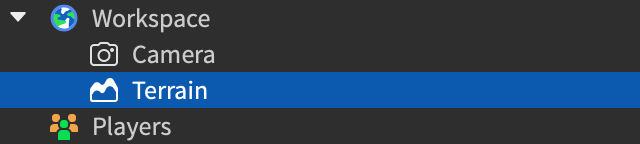
See Environmental Terrain for more information.
TouchesUseCollisionGroups: boolean#
NotScriptableReadSafe
This property determines whether parts in different
groups set to not collide will ignore collisions and touch events. By
default, the value of this property is set to false.
When this property is enabled, parts in different groups set to not
collide will also ignore the CanTouch property,
similar to how BasePart.CanCollide is ignored. For more
information on the behavior of CanTouch, please visit its property page.
UseFixedSimulation: RolloutState#
NotScriptableReadSafe
When true, enables RunService:BindToSimulation() which calls a
function at a fixed frequency. Also updates physics stepping logic such
that character controller updates and joint transforms are performed at a
fixed frequency rather than once per frame, as well as makes the
RobloxGlobals.time() function return the fixed stepped frame
time.
UseFixedSimulationAlias: RolloutState#
NotReplicatedNotScriptableRead: RobloxEngineSecurityWrite: RobloxEngineSecurityReadSafe
UseNewLuauTypeSolver: RolloutState#
NotScriptableReadSafe
This RolloutState property controls whether the new Luau type
solver is used for type inference and type checking in scripts. The new
type solver provides improved accuracy and performance for type analysis.
Note that Workspace.LuauTypeCheckMode controls the mode (strict,
nonstrict, etc.) while this property controls which solver implementation
is active. Default follows the current engine-wide
rollout state.
Methods 11#
| ApplyRecommendedStreamingSettings | Applies Roblox's recommended instance streaming settings to the
Workspace.PluginSecurity security |
| BreakJoints | Goes through all BaseParts given, breaking any joints
connected to these parts.PluginSecurity securityDeprecated |
| GetNumAwakeParts | Returns the number of BaseParts that are deemed
physically active, due to being recently under the influence of physics.Safe |
| GetPhysicsThrottling | Returns an integer, between 0 and 100, representing the percentage of real time that physics simulation is currently being throttled to.Safe |
| GetRealPhysicsFPS | Returns the number of frames per second that physics is currently being simulated at.Safe |
| GetServerTimeNow | Returns the server's Unix time in seconds.Safe |
| JoinToOutsiders | Creates joints between the specified Parts and any
touching parts depending on the parts' surfaces and the specified joint
creation mode. |
| MakeJoints | Goes through all BaseParts given. If any part's side has
a SurfaceType that can make a joint it will create a joint with any
adjacent parts.PluginSecurity securityDeprecated |
| PGSIsEnabled | Returns true if the game has the PGS Physics solver enabled. |
| UnjoinFromOutsiders | Breaks all joints between the specified BaseParts and
other BaseParts. |
| ZoomToExtents | Positions and zooms the Workspace.CurrentCamera to show the extent
of BaseParts currently in the Workspace.PluginSecurity security |
ApplyRecommendedStreamingSettings(): boolean#
PluginSecurity security
Applies the current recommended instance streaming settings to the
Workspace. Only settings that differ from their recommended values
are changed.
Returns
boolean—trueif one or more streaming properties were changed;falseif every value already matched its recommended setting.
BreakJoints(objects: Instances): ()#
DeprecatedPluginSecurity securityDeprecated
Deprecated. This method is deprecated. Do not use it for new work.
Goes through all BaseParts given, breaking any joints
connected to these parts. This function will break any of the following
types of joints:
JointInstancessuch asWeldsWeldConstraints
Unlike Model:MakeJoints(), this function requires an array of
BaseParts as a parameter. This array is given as follows:
local Workspace = game:GetService("Workspace")

Workspace:BreakJoints({part1, part2, part3})
Note, this function cannot be used in developer-facing Luau and will only function in plugins.
| Name | Type | Default | Description |
|---|---|---|---|
objects | Instances | An array of BaseParts for whom joints are to be
broken. |
Returns
()
GetNumAwakeParts(): int#
Safe
Returns the number of BaseParts that are deemed
physically active, due to being recently under the influence of physics.
This function provides a measure of how many BaseParts
are being influenced by, or recently under the influence of, physical
forces.
local Workspace = game:GetService("Workspace")

print(Workspace:GetNumAwakeParts())
In order to ensure good performance, the engine sets
BaseParts in which physics are not being applied to a
"sleeping" state. BaseParts with
BasePart.Anchored set to true, for example, will always be
sleeping as physics doesn't apply to them. When a force is applied to a
non‑anchored BasePart, an "awake" state will be applied. Whilst a
BasePart is awake, the physics engine will perform continuous
calculations to ensure physical forces interact correctly with the part.
Once the BasePart is no longer subject to physical forces, it will
revert to a "sleeping" state.
Returns
int— The number of awake parts.
GetPhysicsThrottling(): int#
Safe
Returns an integer, between 0 and 100, representing the percentage of
real time that physics simulation is currently being throttled to. Physics
throttling occurs when the physics engine detects it cannot keep up with
the game in real time. When physics is being throttled, it will update
less frequently causing BaseParts to appear to move
slower.
Objects associated with Humanoids are exempt from physics
throttling.
See also#
Returns
int— The percentage of real time that physics simulation is currently being throttled to.
GetRealPhysicsFPS(): double#
Safe
Returns the number of frames per second that physics is currently being simulated at.
Using GetRealPhysicsFPS to combat exploiters#
A common use of this function is to detect if exploiters are increasing
their local physics frame rate to move faster. This is generally done by
comparing the result returned by a client's GetRealPhysicsFPS to a maximum
that will not be breached in normal circumstances (usually 65 or 70). If
this limit is breached, developers can use the Player:Kick()
function to remove that Player from the game. It is important to
remember that, although this practice may be effective sometimes,
client-side anti-exploiter measures are never 100% reliable.
Returns
double— Returns the number of frames per second that physics is currently being simulated at.
GetServerTimeNow(): double#
Safe
This method returns the client's best approximation of the current time on the server. It is useful for creating synchronized experiences, as every client will get roughly the same results regardless of their timezone or local clock.
This method returns a Unix timestamp, similar to os.time(),
that you can use with os.date() or
DateTime.fromUnixTimestamp(). The timestamp is smoothed so
that:
- It is monotonic; its value will never decrease.
- It moves at the same rate as the local clock to within 0.6%.
This method is useful for making sure an event starts at the right
real-world time and for periodic adjustments to keep a series of events in
sync. For benchmarking or other use cases that require higher precision,
consider os.clock().
This method relies on the server, so calling it from a client that isn't connected will throw an error. Also note that this method is not suitable for things like timed rewards, as it is not secure compared to tracking such timers on the server.
See also#
DistributedGameTime, a game-time clockos.time()DateTime
Returns
double— The estimated Unix timestamp on the server.
JoinToOutsiders(objects: Instances, jointType: JointCreationMode): ()#
This function creates joints between the specified Parts
and any touching parts depending on the parts' surfaces and the specified
joint creation mode.
This function creates joints between the specified Parts and any planar touching surfaces, depending on the parts' surfaces and the specified joint creation mode.
- Glue, Studs, Inlets, Universal, Weld, and Smooth surfaces will all create Weld instances.
- Spheres will not surface-weld to anything. The rounded sides of cylinders will not surface-weld, but the flat end sides will.
- Hinge and Motor surfaces will still create
RotateandRotatePjoint instances, regardless of part shape.
The first parameter is an array of BaseParts. Joints will
only be created between the parts in the array and not in the array.
Joints will not be created between the parts in the array.
The second parameter is a JointCreationMode that determines how
joints will be created. Passing in either enum value,
Enum.JointCreationMode.All or
Enum.JointCreationMode.Surface, has the same
behavior which equates to Join Always
This function is used by the Roblox Studio Move tool when the user
finishes moving a selection. In conjunction with
Plugin:GetJoinMode() and Workspace:UnjoinFromOutsiders()
it can be used to retain join functionality when developing custom studio
build tools. See the snippets below for an example.
local Workspace = game:GetService("Workspace")

-- Finished moving a selection; make joints
local function finishedMovingParts(parts)
	local joinMode = Plugin:GetJoinMode()
	Workspace:JoinToOutsiders(parts, joinMode)
endlocal Workspace = game:GetService("Workspace")
-- Started moving a selection; break joints
local function startMovingParts(parts)
Workspace:UnjoinFromOutsiders(parts)
end| Name | Type | Default | Description |
|---|---|---|---|
objects | Instances | An array of BaseParts for whom joints are to be made. | |
jointType | JointCreationMode | The JointCreationMode to be used. Passing in
Enum.JointCreationMode.All or
Enum.JointCreationMode.Surface has the same
behavior which equates to Join Always. |
Returns
()
MakeJoints(objects: Instances): ()#
DeprecatedPluginSecurity securityDeprecated
Deprecated. This method is deprecated. Do not use it for new work.
Deprecated
SurfaceType based joining is deprecated, do not use MakeJoints for new
projects. WeldConstraints and
HingeConstraints should be used instead.
Goes through all Parts given. If any part's side has a
SurfaceType that can make a joint it will create a joint with any
adjacent parts.
Joints will be created between the specified Parts and any planar touching surfaces, depending on the parts' surfaces.
- Smooth surfaces will not create joints
- Glue surfaces will create a
Gluejoint - Weld will create a
Weldjoint with any surface except for Unjoinable - Studs, Inlet, or Universal will each create a
Snapjoint with either of other the other two surfaces (e.g. Studs with Inlet and Universal) - Hinge and Motor surfaces create
RotateandRotateVjoint instances
Unlike Model:MakeJoints(), this function requires an array of
parts as a parameter. This array is given as follows:
local Workspace = game:GetService("Workspace")

Workspace:MakeJoints({part1, part2, part3})
Joints are broken if enough force is applied to them due to an
Explosion, unless a ForceField object is parented to the
BasePart or ancestor Model. For this reason, they are
often used to make simple destructible buildings and other models.
| Name | Type | Default | Description |
|---|---|---|---|
objects | Instances | An array of parts for whom joints are to be made. |
Returns
()
PGSIsEnabled(): boolean#
Returns true if the game has the PGS Physics solver enabled.
As Workspace.PGSPhysicsSolverEnabled cannot be accessed by
scripts, the PGSIsEnabled function allows developers to tell which physics
solver the game is using.
Returns
boolean— True if the PGS solver is enabled.
UnjoinFromOutsiders(objects: Instances): ()#
Breaks all joints between the specified BaseParts and
other BaseParts.
This function requires an array of BaseParts. Note,
joints will not be broken between these BaseParts (each
other), only between these BaseParts and other
BaseParts not in the array.
This function is used by the Roblox Studio Move tool when the user
starts moving a selection. In conjunction with
Plugin:GetJoinMode() and Workspace:JoinToOutsiders() it
can be used to retain join functionality when developing custom Studio
build tools. See the snippets below for an example.
local Workspace = game:GetService("Workspace")

-- Finished moving a selection; make joints
local function finishedMovingParts(parts)
	local joinMode = Plugin:GetJoinMode()
	Workspace:JoinToOutsiders(parts, joinMode)
endlocal Workspace = game:GetService("Workspace")
-- Started moving a selection; break joints
local function startMovingParts(parts)
Workspace:UnjoinFromOutsiders(parts)
end| Name | Type | Default | Description |
|---|---|---|---|
objects | Instances | An array of BaseParts for whom joints are to be
broken. |
Returns
()
ZoomToExtents(): ()#
PluginSecurity security
Positions and zooms the Workspace.CurrentCamera to show the extent
of BaseParts currently in the Workspace. It
exhibits similar behavior to the "focus" command but it shows the extents
of the Workspace rather than the currently selected object.
This function cannot be used in developer-facing Luau but will function in the Command Bar or plugins.
Returns
()
Events 1#
| PersistentLoaded | Fires when persistent models have been sent to the specified player. |
PersistentLoaded(player: Player)#
This event fires every time a player has been sent all current persistent
models and part-less atomic models. The player parameter indicates which
player has received all applicable instances.
Note that experience loading happens before persistent loading, and firing
of the DataModel.Loaded event does not indicate that all
persistent models are present.
| Name | Type | Default | Description |
|---|---|---|---|
player | Player | The player who has received all current persistent models and part-less atomic models. |
Inherited members#
Inherited from WorldRoot 29
Methods (29)
ArePartsTouchingOthers, Blockcast, BulkMoveTo, CollisionGroupsAreCollidable, CollisionGroupSetCollidable, FindPartOnRay, findPartOnRay, FindPartOnRayWithIgnoreList, FindPartOnRayWithWhitelist, FindPartsInRegion3, findPartsInRegion3, FindPartsInRegion3WithIgnoreList, FindPartsInRegion3WithWhiteList, GetMaxCollisionGroups, GetPartBoundsInBox, GetPartBoundsInRadius, GetPartsInPart, GetRegisteredCollisionGroups, IKMoveTo, IsCollisionGroupRegistered, IsRegion3Empty, IsRegion3EmptyWithIgnoreList, Raycast, RegisterCollisionGroup, RenameCollisionGroup, Shapecast, Spherecast, StepPhysics, UnregisterCollisionGroup
Inherited from Model 26
Properties (5)
LevelOfDetail, ModelStreamingMode, PrimaryPart, Scale, WorldPivot
Methods (21)
AddPersistentPlayer, BreakJoints, breakJoints, GetBoundingBox, GetExtentsSize, GetModelCFrame, GetModelSize, GetPersistentPlayers, GetPrimaryPartCFrame, GetScale, MakeJoints, makeJoints, move, MoveTo, moveTo, RemovePersistentPlayer, ResetOrientationToIdentity, ScaleTo, SetIdentityOrientation, SetPrimaryPartCFrame, TranslateBy
Inherited from Instance 58
Properties (10)
Archivable, archivable, Capabilities, IsInSandbox, Name, Parent, PredictionMode, RobloxLocked, Sandboxed, UniqueId
Methods (39)
AddTag, children, ClearAllChildren, Clone, clone, Destroy, destroy, FindFirstAncestor, FindFirstAncestorOfClass, FindFirstAncestorWhichIsA, FindFirstChild, findFirstChild, FindFirstChildOfClass, FindFirstChildWhichIsA, FindFirstDescendant, GetActor, GetAttribute, GetAttributeChangedSignal, GetAttributes, GetChildren, getChildren, GetDebugId, GetDescendants, GetFullName, GetStyled, GetStyledPropertyChangedSignal, GetTags, HasTag, IsAncestorOf, IsDescendantOf, isDescendantOf, IsPropertyModified, QueryDescendants, Remove, remove, RemoveTag, ResetPropertyToDefault, SetAttribute, WaitForChild