Class
Lighting
NotCreatableService
The Lighting service controls global lighting in an experience. It includes
a range of adjustable properties that you can use to change how lighting
appears and interacts with other objects.
The Lighting service controls global lighting in an experience. It includes
a range of adjustable properties that you can use to change how lighting
appears and interacts with other objects, as summarized in
Lighting Properties.
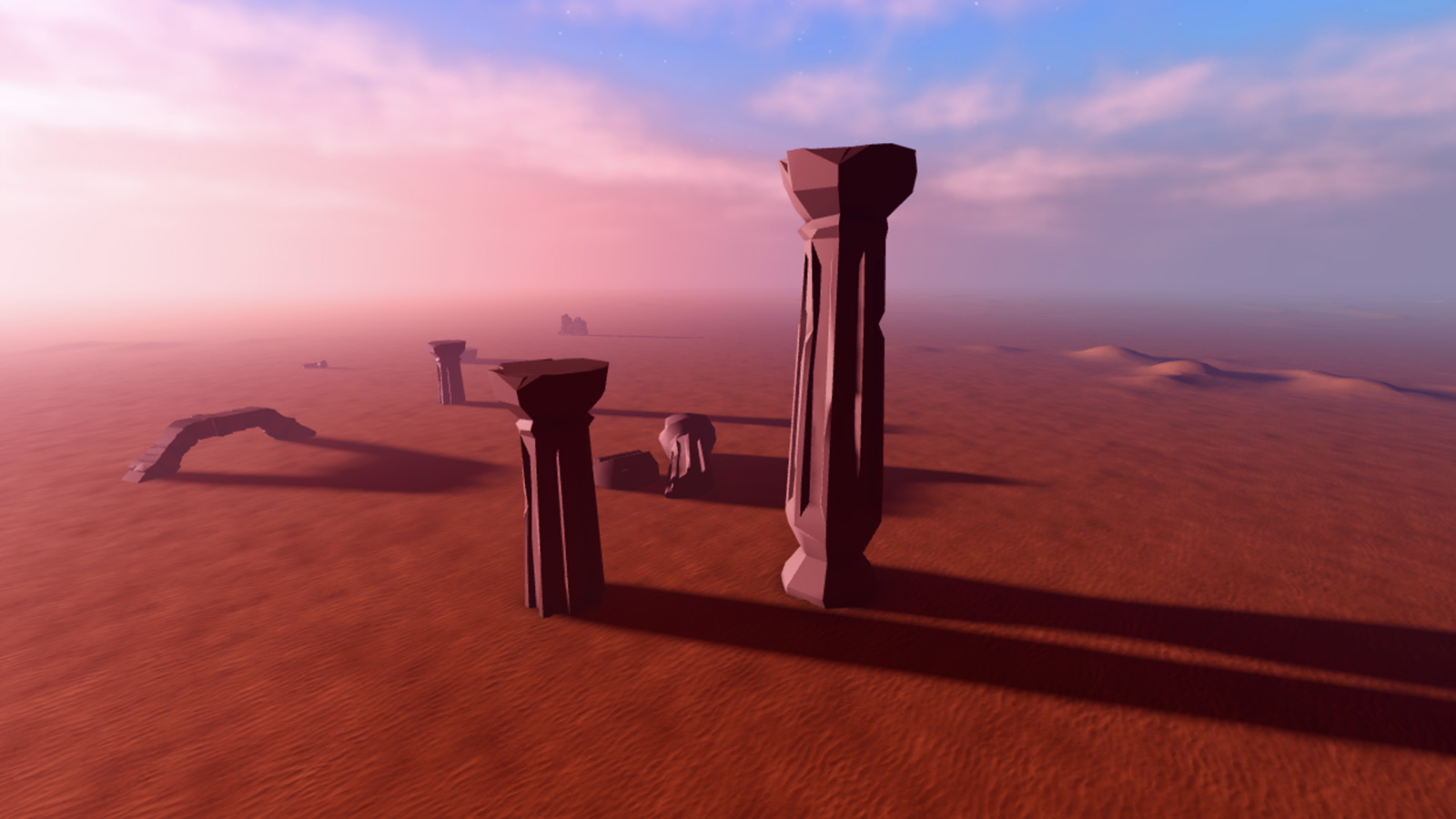
Lighting may also contain an Atmosphere object to render realistic
atmospheric effects, including particle density, haze, glare, and color. See
Atmospheric Effects for details.
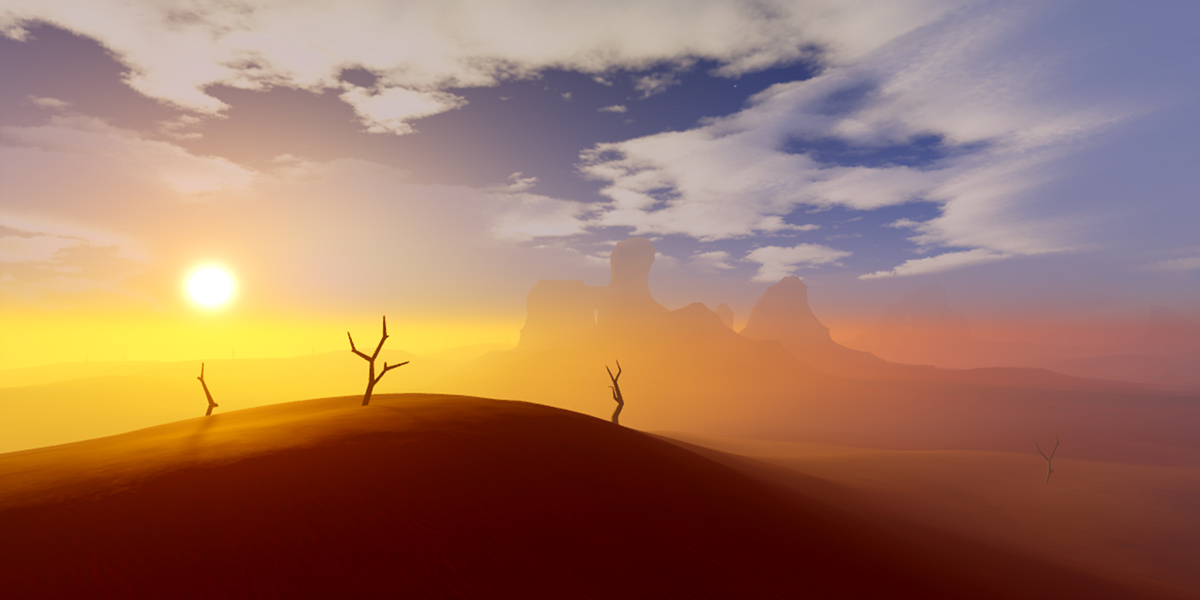
In addition, Lighting (along with Workspace.CurrentCamera) may
contain
post‑processing effects
such as SunRaysEffect and BlurEffect.
Properties 22#
AmbientColor3 | The lighting hue applied to areas that are occluded from the sky, such as indoor areas.ReadSafe |
Brightnessfloat | The intensity of illumination in the place.ReadSafe |
ClockTimefloat | A numerical representation (in hours) of the current time of day used by
Lighting.ReadSafeNotReplicated |
ColorShift_BottomColor3 | The hue represented in light reflected in the opposite surfaces to those facing the sun or moon.ReadSafe |
ColorShift_TopColor3 | The hue represented in light reflected from surfaces facing the sun or moon.ReadSafe |
EnvironmentDiffuseScalefloat | Ambient light that is derived from the environment.ReadSafe |
EnvironmentSpecularScalefloat | Specular light derived from environment.ReadSafe |
ExposureCompensationfloat | The exposure compensation value.ReadSafe |
ExtendLightRangeTo120RolloutState | Unused. Light Range is always clamped to 120
studs.ReadSafeNotScriptable |
FogColorColor3 | A Color3 value giving the hue of Lighting fog.ReadSafe |
FogEndfloat | The depth from the Workspace.CurrentCamera, in studs, at which fog
will be completely opaque.ReadSafe |
FogStartfloat | The depth from the Workspace.CurrentCamera, in studs, at which fog
begins to show.ReadSafe |
GeographicLatitudefloat | The geographic latitude, in degrees, of the scene, influencing the result
of Lighting time on the position of the sun and moon.ReadSafe |
GlobalShadowsboolean | Toggles voxel-based dynamic lighting for the place.ReadSafe |
LightingStyleLightingStyle | The artistic intent behind lighting in the experience.ReadSafe |
OutdoorAmbientColor3 | The lighting hue applied to outdoor areas.ReadSafe |
Outlinesboolean | Determines whether outlines are enabled or disabled in a place.ReadSafeDeprecated |
PrioritizeLightingQualityboolean | Indicates whether you prefer lighting/shading quality or view distance to scale down first.ReadSafe |
ShadowColorColor3 | This is supposed to change the color of player shadows, but currently doesn't do anything.ReadSafeDeprecatedNotReplicated |
ShadowSoftnessfloat | Controls how blurry the shadows are.ReadSafe |
TechnologyTechnology | Determines the lighting system for rendering the 3D world. Non-scriptable.Read: RobloxScriptSecurityWrite: RobloxScriptSecurityReadSafeDeprecated |
TimeOfDaystring | A 24-hour string representation of the current time of day used by
Lighting.ReadSafe |
Ambient: Color3#
ReadSafe
Ambient is the lighting hue applied to areas that are occluded from the
sky, such as indoor areas.
Ambient defaults to [0, 0, 0] (black). As long as the red, green, and
blue channels of this property do not exceed the corresponding channels in
OutdoorAmbient, the change in hue will be
reserved for areas occluded from the sun/moon.
Note that when GlobalShadows is disabled,
there is no distinction between areas occluded from the sky and
non‑occluded areas. In this case,
OutdoorAmbient will be ignored and the hue
from the Ambient property will be applied everywhere.
Brightness: float#
ReadSafe
The intensity of illumination in the place.
Changing this value will influence the impact of the light source (sun or
moon) on the place's lighting. Note that Ambient
and OutdoorAmbient can also be used to
influence how bright a place appears. For example, setting
OutdoorAmbient to [255, 255, 255] will make the place appear brighter
than its default value of 127, 127, 127
(as it is more white).
ClockTime: float#
NotReplicatedReadSafe
A numerical representation (in hours) of the current time of day used by
Lighting. Note that this property does not correspond with the actual
time of day and will not change during gameplay unless it has been changed
by a script.
For a measure of Lighting time formatted as a 24-hour string, use
TimeOfDay. Changing
TimeOfDay or using
SetMinutesAfterMidnight() will
also change this property.
ColorShift_Bottom: Color3#
ReadSafe
The hue represented in light reflected in the opposite surfaces to those facing the sun or moon.
The surfaces of a BasePart influenced by ColorShift_Bottom
depends on the position and orientation of the BasePart relative
to the sun or moon's position. Where the sun is directly overhead a
BasePart, the shift in color will only apply to the bottom
surface.
This effect can be increased or reduced by altering
Brightness.
Note that ColorShift_Top and
ColorShift_Bottom will interact with the
Ambient and
OutdoorAmbient properties if they are
greater than [0, 0, 0]. Also note that
the influence of ColorShift_Bottom can be very hard to identify when
GlobalShadows is enabled (default).
ColorShift_Top: Color3#
ReadSafe
The hue represented in light reflected from surfaces facing the sun or moon.
The surfaces of a BasePart influenced by ColorShift_Top depends
on the position and orientation of the BasePart relative to the
sun or moon's position. Where the sun is directly overhead a
BasePart, the shift in color will only apply to the top surface.
This effect can be increased or reduced by altering
Brightness.
Note that ColorShift_Top and
ColorShift_Bottom will interact with
the Ambient and
OutdoorAmbient properties if they are
greater than [0, 0, 0].
EnvironmentDiffuseScale: float#
ReadSafe
Ambient light that is derived from the environment with a default of 0.
This property is similar to Ambient and
OutdoorAmbient but it's dynamic and can
change according to the sky and time of day. When this property is
increased, it's recommended to decrease Ambient
and OutdoorAmbient accordingly.
EnvironmentSpecularScale: float#
ReadSafe
Specular light derived from environment with a default of 0. This
property will make smooth objects reflect the environment and it is
especially important to make metal look more realistic.
ExposureCompensation: float#
ReadSafe
This property determines the exposure compensation amount which applies a
bias to the exposure level of the scene prior to the tonemap step.
Defaults to 0 (no exposure compensation) and has a range from -5 to
5. A value of 1 indicates twice as much exposure and -1 means half
as much exposure.
ExtendLightRangeTo120: RolloutState#
NotScriptableReadSafe
Unused. The maximum Range of PointLight,
SpotLight, and SurfaceLight objects is always 120 studs;
this property does not change that clamp.
This property is typed as RolloutState. It is non-scriptable and
hidden in the Studio Properties window.
FogColor: Color3#
ReadSafe
A Color3 value giving the hue of Lighting fog. Note that fog
properties are hidden when Lighting contains an Atmosphere
object.
FogEnd: float#
ReadSafe
The depth from the Workspace.CurrentCamera, in studs, at which fog
will be completely opaque. Note that fog properties are hidden when
Lighting contains an Atmosphere object.
FogStart: float#
ReadSafe
The depth from the Workspace.CurrentCamera, in studs, at which fog
begins to show. Note that fog properties are hidden when Lighting
contains an Atmosphere object.
GeographicLatitude: float#
ReadSafe
The geographic latitude, in degrees, of the scene, influencing the result
of Lighting time on the position of the sun and moon. When calculating
the position of the sun, the earth's tilt is also taken into account.
Changing GeographicLatitude will alter the position of the sun at every
TimeOfDay. If you're looking to obtain the sun
or moon's position, use
GetSunDirection() or
GetMoonDirection().
GlobalShadows: boolean#
ReadSafe
Toggles voxel-based dynamic lighting in the place. When set to true,
shadows are rendered in sheltered areas depending on the position of the
sun and moon. The lighting hue applied to these sheltered areas is
determined by the Ambient property while the
lighting hue in all other areas is determined by the
OutdoorAmbient property.
When false, shadows are not drawn and no distinction is made between
indoor and outdoor areas. As a result, the
Ambient property determines the lighting hue and
OutdoorAmbient will do nothing.
Shadows are calculated using a voxel system and each lighting voxel is
4×4×4 studs. This means objects need to be larger than
4×4×4 studs to display a realistic shadow. Shadows are also
recalculated when BaseParts are moving.
LightingStyle: LightingStyle#
ReadSafe
LightingStyle indicates the artistic intent behind lighting in the
experience, as an LightingStyle option. LightingStyle.Soft
is the stylized look; LightingStyle.Realistic is the naturalistic
look. The actual shadowing path also depends on
PrioritizeLightingQuality (for
example, Soft with that property enabled uses shadow maps rather than
voxel lighting).
OutdoorAmbient: Color3#
ReadSafe
OutdoorAmbient is the lighting hue applied to outdoor areas.
OutdoorAmbient defaults to [127, 127, 127]. As long as the red, green,
and blue channels of Ambient do not exceed the
corresponding channels in OutdoorAmbient, the hue of the lighting in
outdoor areas will be determined by this property.
The effective OutdoorAmbient value is clamped to be greater than or
equal to Ambient in all channels, meaning that if
a channel of Ambient exceeds its corresponding
OutdoorAmbient channel, the hue of Ambient will
begin to apply to outdoor areas.
Note that when GlobalShadows is disabled,
there is no distinction between areas occluded from the sky and
non‑occluded areas. In this case, OutdoorAmbient will be ignored and the
hue from the Ambient property will be applied
everywhere.
Outlines: boolean#
DeprecatedReadSafeDeprecated
Deprecated. This item is no longer supported as the outlines feature was removed from the Roblox platform.
This property determines whether outlines are enabled or disabled in a place.
Outlines can be disabled on a global basis, using this Lighting
property, or alternatively on a surface-by-surface basis for
BaseParts using SurfaceType.
Although this property can be set by scripts, it recommended this property is set in Roblox Studio prior to publishing the place.
PrioritizeLightingQuality: boolean#
ReadSafe
This property indicates whether you prefer lighting/shading quality or
view distance to scale down first. As the rendering quality level reduces,
a setting of true prioritizes features such as advanced shadows and
high‑quality shaders at closer distances, while a setting of false
prioritizes view distance.
ShadowColor: Color3#
NotReplicatedDeprecatedReadSafeDeprecated
Deprecated. This item is deprecated and has no current functionality. Do not use it for new work.
This is supposed to change the color of player shadows, but currently doesn't do anything.
ShadowSoftness: float#
ReadSafe
Controls how blurry the shadows are with a default of 0.2. This property
only works when Technology mode is
ShadowMap or Future and the device is
capable of rendering shadow maps.
Technology: Technology#
Read: RobloxScriptSecurityWrite: RobloxScriptSecurityReadSafeDeprecated
Deprecated. This property has been superseded by
LightingStyle which determines the artistic
intent behind lighting, and
PrioritizeLightingQuality which
indicates whether you prefer lighting/shading quality or view distance to
scale down first.
Determines the lighting system for rendering the 3D world. This property is non‑scriptable and only modifiable in Studio.
TimeOfDay: string#
ReadSafe
A 24-hour string representation of the current time of day used by
Lighting. For example:
local Lighting = game:GetService("Lighting")

Lighting.TimeOfDay = "11:00" -- Set time of day to 11:00 AM
Lighting.TimeOfDay = "21:30" -- Set time of day to 9:30 PM
Note that this property does not correspond with the real-world time of day and will not change during gameplay unless it has been changed by a script.
For a numeric measure of Lighting time, use
ClockTime. Changing
ClockTime or using
SetMinutesAfterMidnight() will
also change this property.
Methods 7#
| GetMinutesAfterMidnight | Returns the number of minutes that have passed after midnight for the purposes of lighting.Safe |
| getMinutesAfterMidnight | Deprecated |
| GetMoonDirection | Returns a Vector3 representing the direction of the moon.Safe |
| GetMoonPhase | Returns the moon's current phase.Deprecated |
| GetSunDirection | Returns a Vector3 representing the direction of the sun.Safe |
| SetMinutesAfterMidnight | Sets TimeOfDay and
ClockTime to the given number of minutes after
midnight. |
| setMinutesAfterMidnight | Deprecated |
GetMinutesAfterMidnight(): double#
Safe
Returns the number of minutes that have passed after midnight for the
purposes of lighting. This number will be nearly identical to
ClockTime multiplied by 60.
Note that this number will not always be equal to the value given in
SetMinutesAfterMidnight() as it
returns minutes after midnight in the current day.
Returns
double— The number of minutes after midnight.
getMinutesAfterMidnight(): double#
DeprecatedDeprecated
Deprecated. This method is a deprecated variant of
Lighting:GetMinutesAfterMidnight() which should be used instead.
Returns
double
GetMoonDirection(): Vector3#
Safe
Returns a Vector3 representing the direction of the moon from
the position (0, 0, 0). Note that when
the moon has "set" and is no longer visible, the Vector3
returned by this method will continue to point towards the moon below the
horizon.
GetSunDirection() is a variant of this
method for obtaining the direction of the sun.
GetMoonPhase(): float#
Deprecated
Deprecated. There is currently no way to change the moon's phase, and thus this method should not be used.
Returns the moon's current phase. There is no way to change the moon's
phase so this will always return 0.75.
Returns
float
GetSunDirection(): Vector3#
Safe
Returns a Vector3 representing the direction of the sun from
the position (0, 0, 0). Note that when
the sun has "set" and is no longer visible, the Vector3
returned by this method will continue to point towards the sun below the
horizon.
GetMoonDirection() is a variant of
this method for obtaining the direction of the moon.
SetMinutesAfterMidnight(minutes: double): ()#
Sets TimeOfDay and
ClockTime to the given number of minutes after
midnight.
This method allows a numerical value to be used, for example in a
day/night cycle Script, without the need to convert to a string in
the format required by TimeOfDay. It also
allows values greater than 24 hours to be given that correspond to times
in the next day.
The following code sample includes a simple day/night cycle script. The
speed of time and the initial time can be changed using the TIME_SPEED
and START_TIME parameters.
| Name | Type | Default | Description |
|---|---|---|---|
minutes | double | The number of minutes after midnight. |
Returns
()
setMinutesAfterMidnight(minutes: double): ()#
DeprecatedDeprecated
Deprecated. This method is a deprecated variant of
Lighting:SetMinutesAfterMidnight() which should be used instead.
| Name | Type | Default | Description |
|---|---|---|---|
minutes | double |
Returns
()
Events 1#
| LightingChanged | This event fires when a Lighting property is changed or a Sky is
added or removed from Lighting. |
LightingChanged(skyChanged: boolean)#
This event fires when a Lighting property is changed or a Sky is
added or removed from Lighting. See the skyChanged parameter for when
that flag is true versus false. Some Lighting property changes never
fire this event:
- Changing
GlobalShadowswill not fire this event. - Changing fog properties
FogColor,FogStart, orFogEndwill not fire this event.
In cases where this behavior is not desired, the Object.Changed
event or Object:GetPropertyChangedSignal() method can be used.
| Name | Type | Default | Description |
|---|---|---|---|
skyChanged | boolean | true when a Sky is added or removed, or when a Sky property
other than Sky.SkyboxOrientation changes. false for Lighting
property changes, Atmosphere property changes, and SkyboxOrientation
changes. |
Inherited members#
Inherited from Instance 58
Properties (10)
Archivable, archivable, Capabilities, IsInSandbox, Name, Parent, PredictionMode, RobloxLocked, Sandboxed, UniqueId
Methods (39)
AddTag, children, ClearAllChildren, Clone, clone, Destroy, destroy, FindFirstAncestor, FindFirstAncestorOfClass, FindFirstAncestorWhichIsA, FindFirstChild, findFirstChild, FindFirstChildOfClass, FindFirstChildWhichIsA, FindFirstDescendant, GetActor, GetAttribute, GetAttributeChangedSignal, GetAttributes, GetChildren, getChildren, GetDebugId, GetDescendants, GetFullName, GetStyled, GetStyledPropertyChangedSignal, GetTags, HasTag, IsAncestorOf, IsDescendantOf, isDescendantOf, IsPropertyModified, QueryDescendants, Remove, remove, RemoveTag, ResetPropertyToDefault, SetAttribute, WaitForChild