Class
ArcHandles
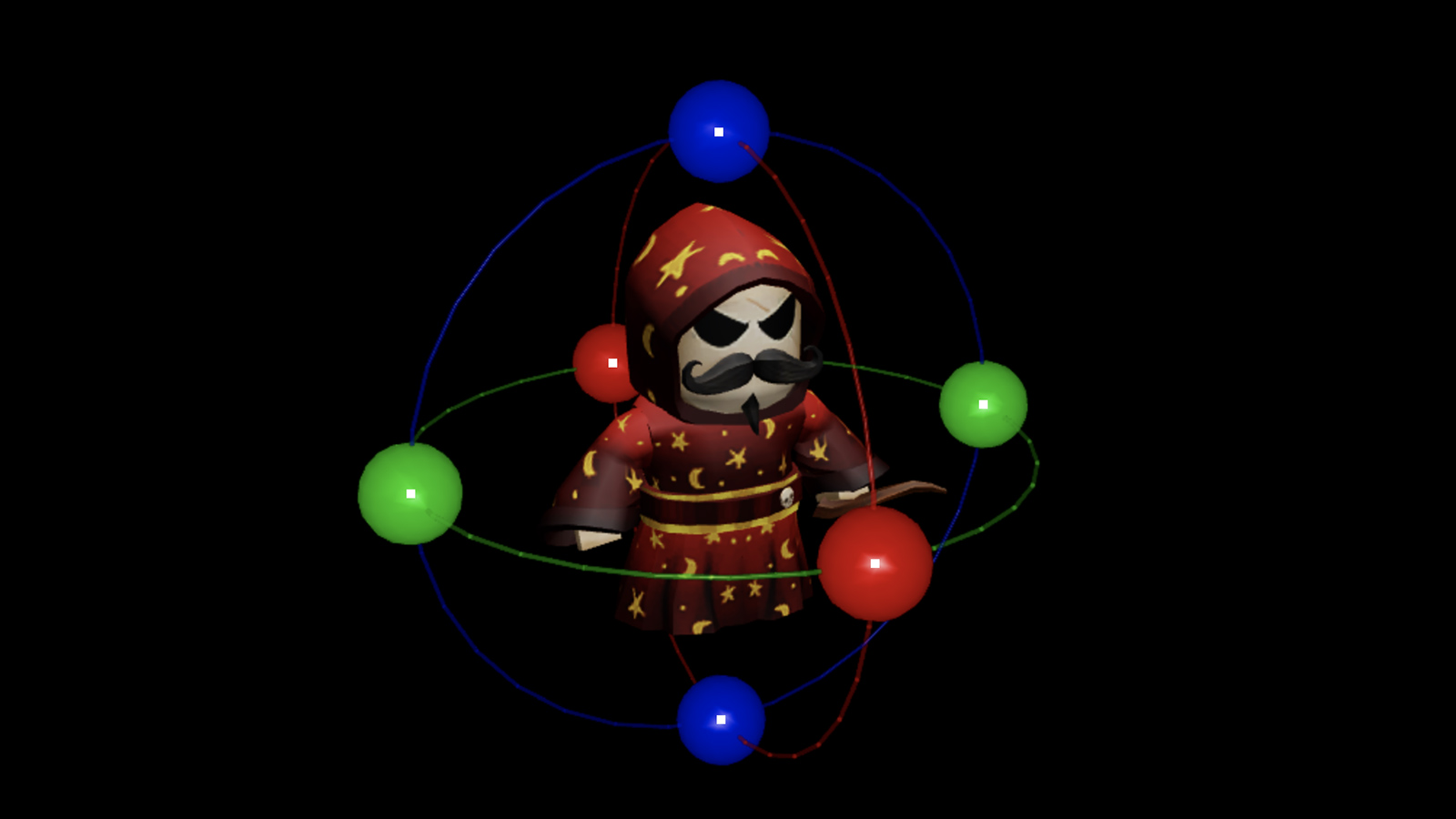
The ArcHandles object places 3D arc handles around any 3D object that
its Adornee is set to.
The ArcHandles object places 3D arc handles around any 3D object that its
Adornee is set to. For handles to be
interactive, it must be parented to a player's PlayerGui or the
CoreGui.
Properties 1#
Events 5#
| MouseButton1Down | Fired when the left mouse button goes down on one of the GUI handles. |
| MouseButton1Up | Fired when the left mouse button is released on one of the GUI handles. |
| MouseDrag | Fired when the mouse moves while the MouseButton1Down event has fired, but the left mouse button has not been released yet. |
| MouseEnter | Fired when a mouse "enters" the GUI handle. |
| MouseLeave | Fired when the mouse leaves the GUI handle. |
MouseButton1Down(axis: Axis)#
Fired when the left mouse button goes down on one of the GUI handles.
MouseButton1Up(axis: Axis)#
Fired when the left mouse button is released on one of the GUI handles.
MouseDrag(axis: Axis, relativeAngle: float, deltaRadius: float)#
Fired when the mouse moves while the MouseButton1Down event has fired, but the left mouse button has not been released yet.
| Name | Type | Default | Description |
|---|---|---|---|
axis | Axis | The Axis (X, Y, or Z) of the arc handle being dragged. | |
relativeAngle | float | The angle, in radians, that the handle has rotated around its axis relative to the start of the drag. | |
deltaRadius | float | The change in radius (the cursor's distance from the handle's center) relative to the start of the drag. |
MouseEnter(axis: Axis)#
Fired when a mouse "enters" the GUI handle.
MouseLeave(axis: Axis)#
Fired when the mouse leaves the GUI handle.
Inherited members#
Inherited from PartAdornment 1
Properties (1)
Inherited from GuiBase3d 4
Properties (4)
Inherited from Instance 58
Properties (10)
Archivable, archivable, Capabilities, IsInSandbox, Name, Parent, PredictionMode, RobloxLocked, Sandboxed, UniqueId
Methods (39)
AddTag, children, ClearAllChildren, Clone, clone, Destroy, destroy, FindFirstAncestor, FindFirstAncestorOfClass, FindFirstAncestorWhichIsA, FindFirstChild, findFirstChild, FindFirstChildOfClass, FindFirstChildWhichIsA, FindFirstDescendant, GetActor, GetAttribute, GetAttributeChangedSignal, GetAttributes, GetChildren, getChildren, GetDebugId, GetDescendants, GetFullName, GetStyled, GetStyledPropertyChangedSignal, GetTags, HasTag, IsAncestorOf, IsDescendantOf, isDescendantOf, IsPropertyModified, QueryDescendants, Remove, remove, RemoveTag, ResetPropertyToDefault, SetAttribute, WaitForChild